52 - 60
IsACQ110C-0 (ENG) Rev.230708-0
Level Menu
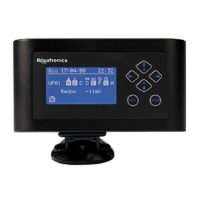
Level (Fig. 75)
Allthemenusrelevanttothismeasurementareenabledonly
whenthelevelsensorisconnectedtothesystem.
Whenthelevelsensorisconnected,thecontrolunitwilldisplay
aplug-inscreenwhereitispossible,ifdesired,tochangethe
nameoftheconnectedsensor(Fig.75);press“Enter” to
conrm.
The control unit is already equipped to read and display the
level(withthesuppliedsensor).
Moreover,itispossible:
- to modify the state of the plugs depending on the level
readings;
- to set acoustic alarms.
To set this function, proceed as follows:
Main screen Main Menu Level.
Change Name (Fig. 76)
Modiesthenamegiventothesensor.
To modify the name, proceed as follows:
Main screen Main Menu Level Change Name.
•Selectthelettersbyusingthekeyswhileusingkeys
tomovewithintheword.
Press “Enter”whennished.
Programs (Fig. 78)
Allowstheusertomakeprogramsinrelationtothelevel.
Toinsertaprogram,proceedasfollows:
Main screen Main Menu Level Programs.
• Select the “Insert”optionbyusingkeys and press
“Enter”.
(Fig. 76)
Level
Change Name
Programs
Alarm
Measuring Unit
(Fig. 77)
Level
(Fig. 78)
Level
Insert
(Fig. 75)
New device connected
S01
Level


 To Next Page