MANUAL
V3.0
GEN 5
PLAYING VIDEO > P. 17
1.3 VIDEO PLAYER SETTINGS
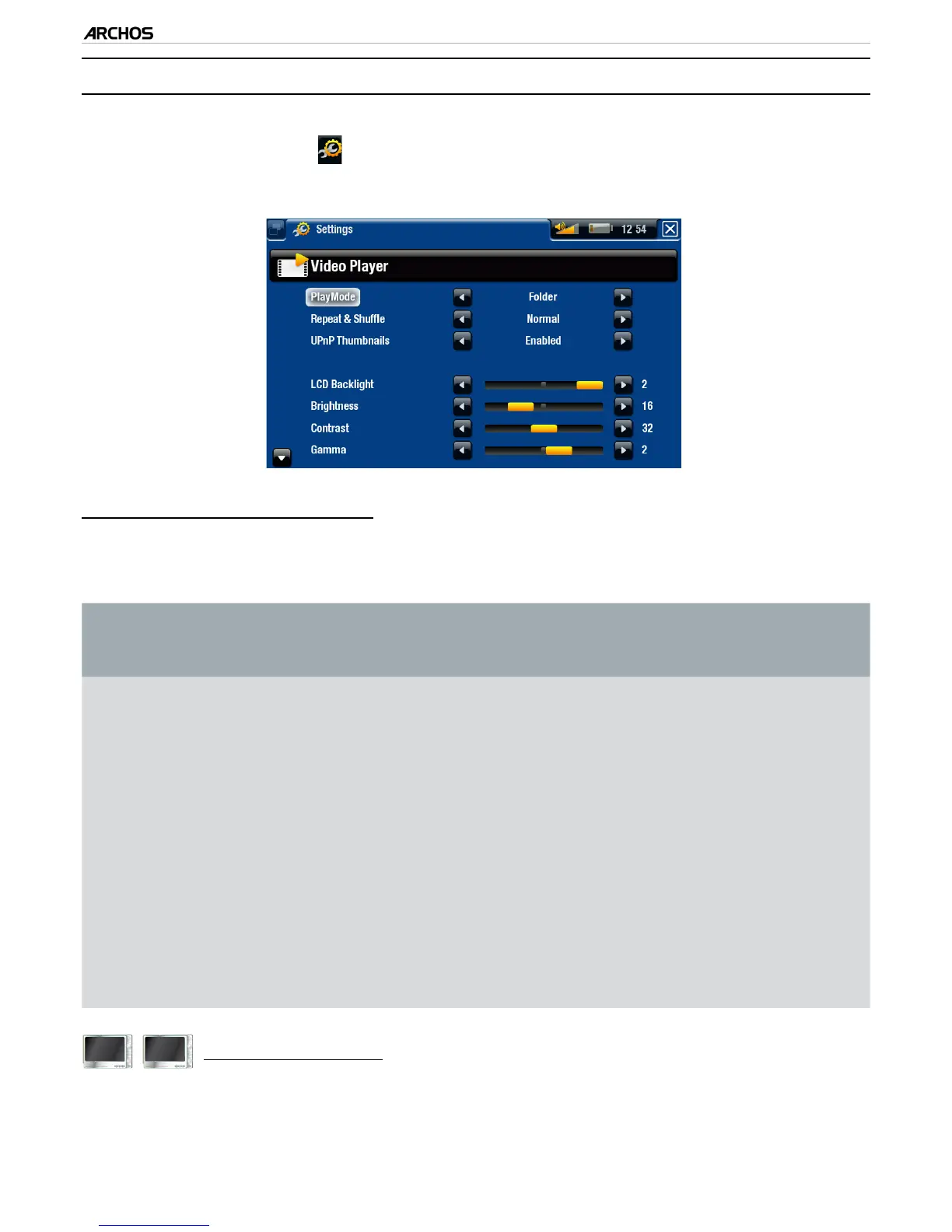
In the Video mode, you can access the Video Player settings screen by using the
“Settings” menu item .
Use the left/right arrows to select a different setting for a parameter.
“PlayMode”, “Repeat & Shufe”
the following table explains how the video player will work according to the set-
tings you chose in “PlayMode” AND “Repeat & Shufe”.
“PlayMode”
“Repeat &
Shufe”
What the video player does...
“Single” “Normal”
plays the current video le and stops.-
“Repeat”
plays the current video le repeatedly.-
“Folder”
“Normal”
plays all the video les of the current folder
one after the other, and then stops.
-
“Repeat”
plays all the video les of the current folder
one after the other. This will be repeated in-
denitely.
-
“Shufe”
plays all the videos of the current folder ran-
domly.
-
605
705
“UPnP Thumbnails”
here you can enable/disable the video thumbnails while browsing through your
PC’s shared videos (see:
Playing your PC’s Shared Media Files
). If you choose
“Disabled”, you will be able to browse through your PC’s shared videos faster.
•
•
-
-



 To Next Page