MANUAL
V3.0
GEN 5
PLAYING MUSIC > P. 22
2.2 MUSIC PLAYBACK
Use the scroll bar to browse through the list of audio tracks.
To play a song, highlight the corresponding le and open it.
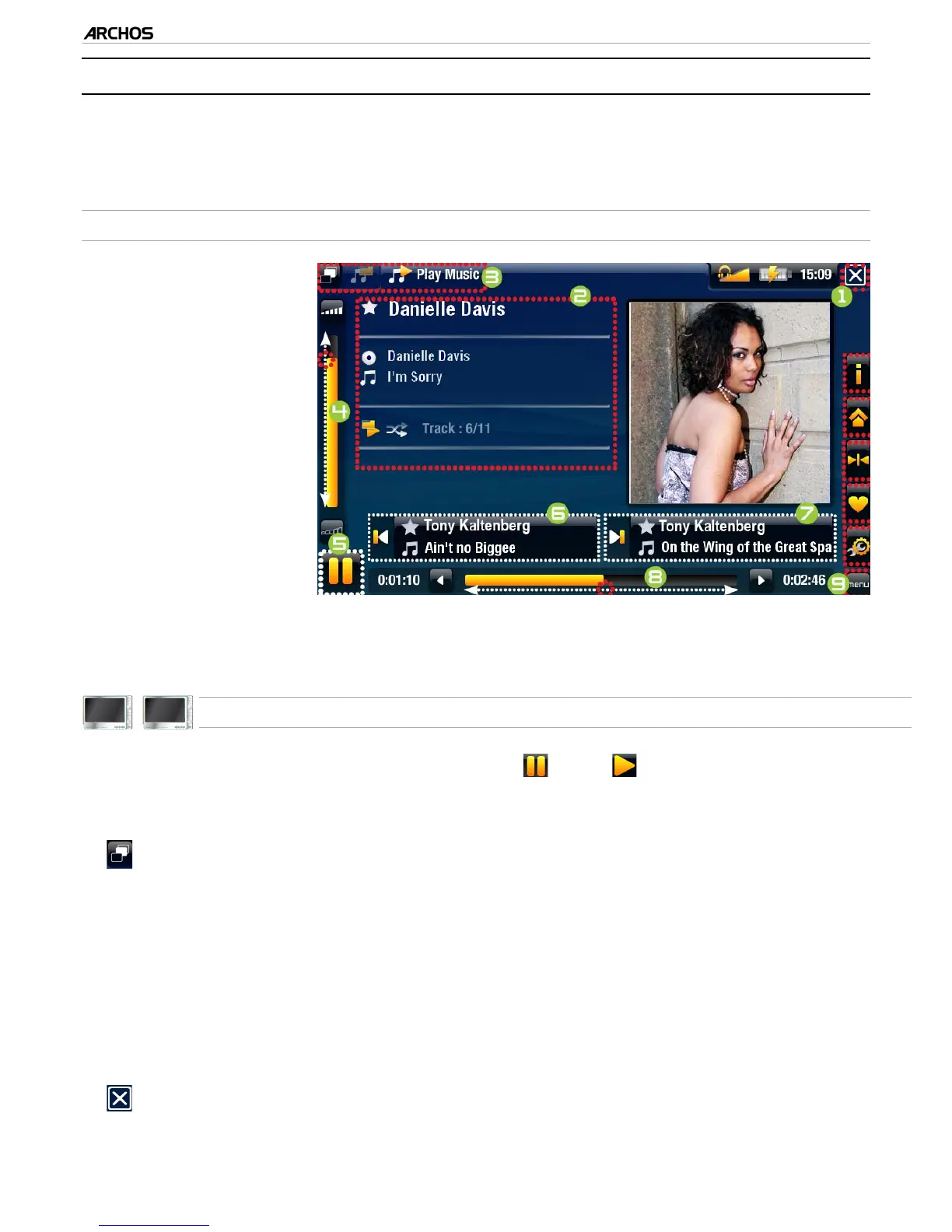
MUSIC PLAYBACK SCREEN
1.
Exit icon
2.
artist name, album
title, song title, play-
back status icon(s)
and track number
3.
available tabs
4.
volume level
5.
play / pause icon
6.
previous track
7.
next track
8.
progression bar
9.
menu items
605
705
MUSIC PLAYBACK TOUCHSCREEN CONTROLS
To pause/resume the song, tap on the Pause / Play icon (see n° 5
above).
To play the previous/next song, tap in the corresponding area (n° 6 or 7).
To browse through your songs while listening to music, simply tap on the Tab icon
. This will take you to the Music Library or browser screen that you launched
the current song from (see n° 3).
You can tap on the progression bar to go directly to a different location in the
song. You can also drag the cursor in the progression bar to another location in
the song (see n° 8).
The volume bar can be dragged in the same way (see n° 4).
To execute a menu item’s function, simply tap on its icon. In order to display a
text description of the icon, tap on the menu word (see n° 9).
To stop the song and go back to the Music Library or browser, tap on the Exit icon
(see n° 1). To exit the Music mode and go back directly to the Home screen,
hold down on the Exit icon.
•
•
•
•
•
•
•
•
•



 To Next Page