MANUAL
V3.0
GEN 5
TROUBLESHOOTING > P. 73
TROUBLESHOOTING
RESETTING YOUR ARCHOS
In the event that your ARCHOS freezes or does not respond anymore, try to reset
it: press the button for 15 seconds (the ARCHOS will shut down completely)
and turn it on as usual.
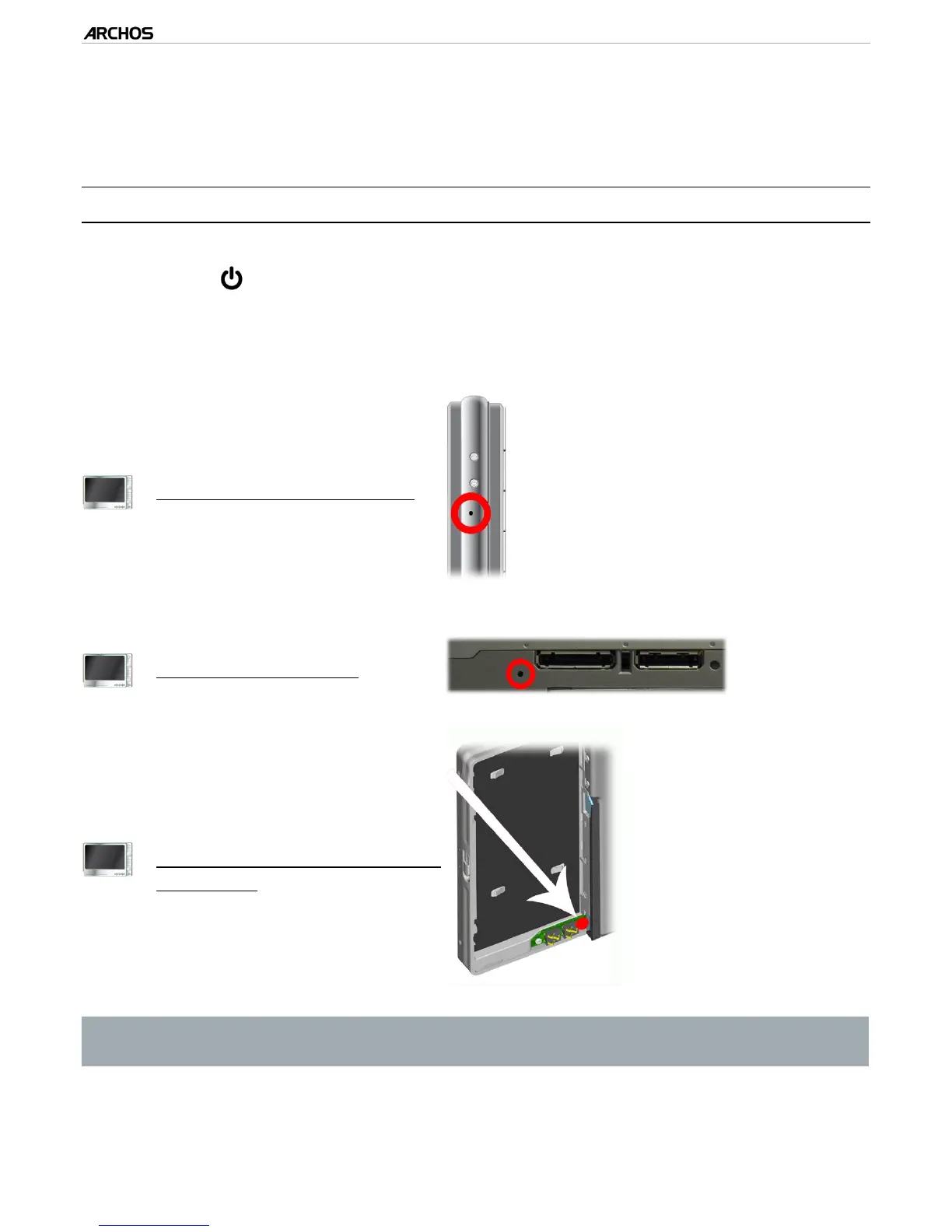
If this does not work, you can also press the “master reset” button as shown be-
low. You can use the end of a paper clip to press the button in the hole.
405
On the left side of the device:
605
Underneath the device:
705
A
t the back of the device, behind
the battery:
(see:
Replacing the Battery
)
Note: Resetting your ARCHOS will not erase any data from your device.
However some settings will be reset to their factory defaults.
•
•



 To Next Page