MANUAL
V3.0
GEN 5
PLAYING MUSIC > P. 23
405
605
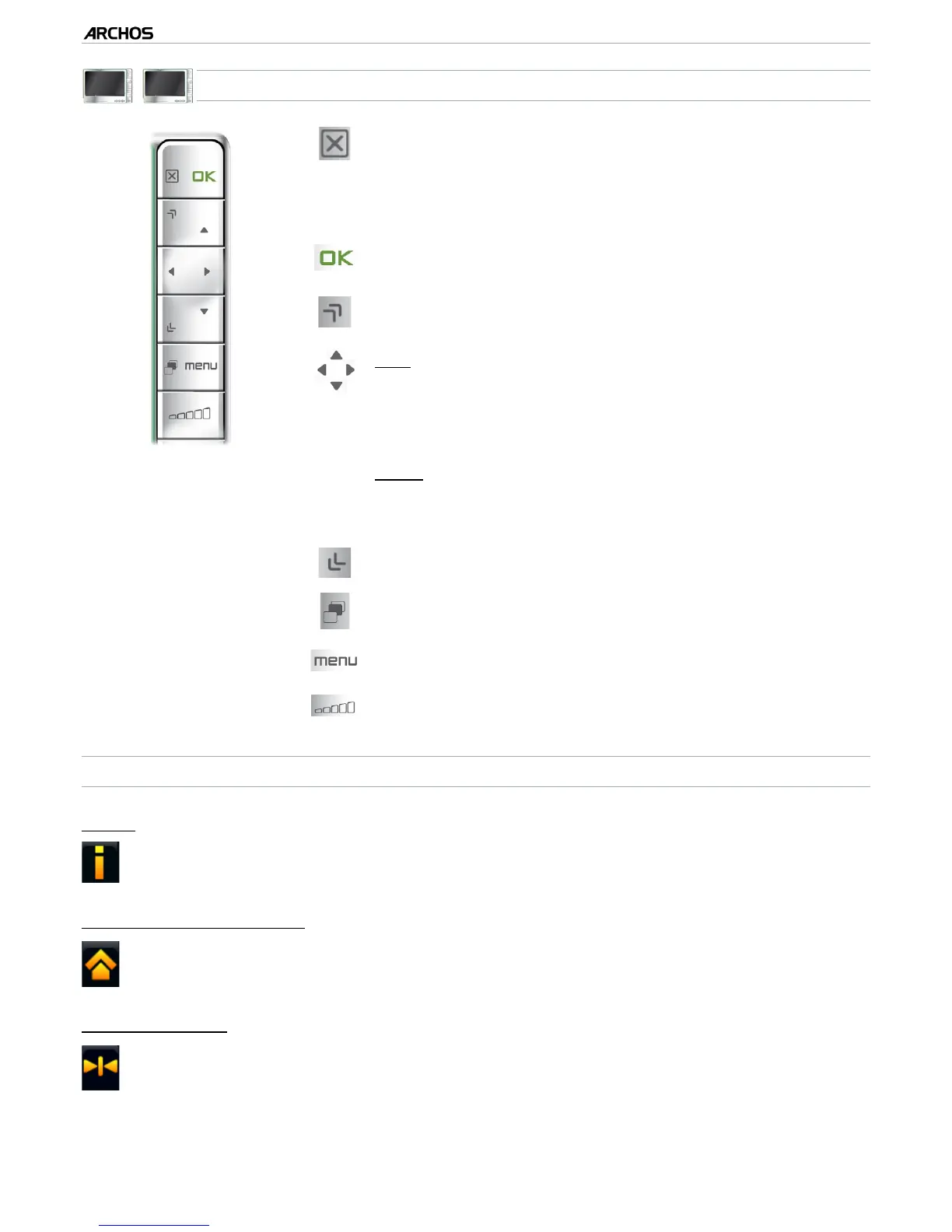
MUSIC PLAYBACK BUTTON CONTROLS
press once: stop the song
and go back to the
“Music”
Library or browser
hold: exit the Music mode and go back directly to
the Home screen.
-
-
pause/resume the song
accelerated fast forward
left:
press once: back to the beginning of the song, or
previous song (in the rst 10 seconds of a track)
hold: fast rewind
right:
press once: next song
hold: fast forward
-
-
-
-
accelerated fast rewind
tabs back to the Music Library or Music browser (de-
pending on which mode you launched the song from)
display available menu items
increase/decrease volume
MUSIC PLAYBACK MENU ITEMS
“Info”
displays a message box with information about the current music le.-
“ARCHOS home screen”
allows you to go back to the Home screen, and browse your hard drive or
view your photos while listening to music.
-
“Set bookmark”
sets a bookmark at the current spot in the song. Only one bookmark per le is
allowed. You can bookmark up to 32 les.
to resume playing a song from a bookmark, go to the Music Library or the Music
Browser, highlight the bookmarked music le. Select the “Bookmark” menu
item, then choose “Resume” (“Clear” will remove the bookmark from the song).
-
-



 To Next Page