MANUAL
V3.0
GEN 5
USING THE FILE BROWSER > P. 38
To open a le or folder, tap on it to highlight it, then tap on it again.
To jump between the left and right panels, tap on , or tap directly on the panel
that you want to highlight.
To execute a menu item’s function, simply tap on its icon. In order to display a
text description of the icon, tap on the menu word.
You can go back one level in the hierarchy by tapping on
(see n° 1)
. Wherever
you are in the hierarchy, you can go back directly to the Home screen by holding
down on the Exit icon.
405
605
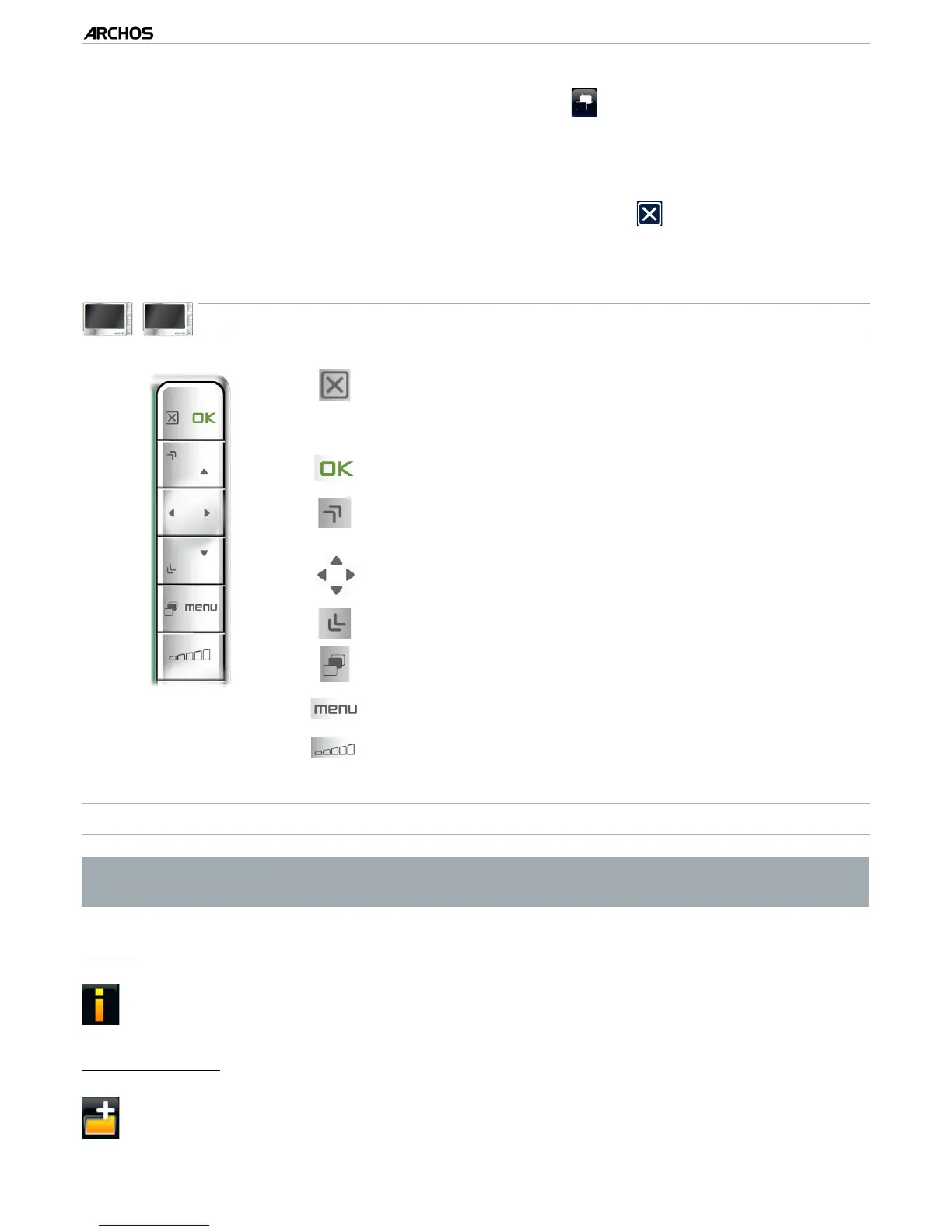
BUTTON CONTROLS
press once: go back one level in the hierarchy
hold: exit the
File Browser
and go back directly to
the Home screen.
-
-
open a le or folder
scroll up the le list faster
left: go back up one level in the folder hierarchy
up/down: scroll the le list up and down
scroll down the le list faster
jump between the left and right panels.
display available menu items
increase/decrease volume
BROWSER MENU ITEMS
Note that some of the above menu items may not appear if they are not avail-
able for the highlighted le or folder.
“Info”
displays a message box with information about the highlighted le.-
“Create folder”
creates a folder at the current location.
you will have to enter the folder’s name with the virtual keyboard (see:
Using
the Virtual Keyboard
).
-
-
•
•
•
•



 To Next Page