Loading Media
The Amigo Series printers offer three different loading modes:
standard, peel-off, or with a cutter.
Standard mode allows you to collect each label freely.
Peel-off mode peels backing material away from the label
as it prints. After the label is removed, the next label prints.
Cutter mode automatically cuts the label after it prints.
Standard Mode
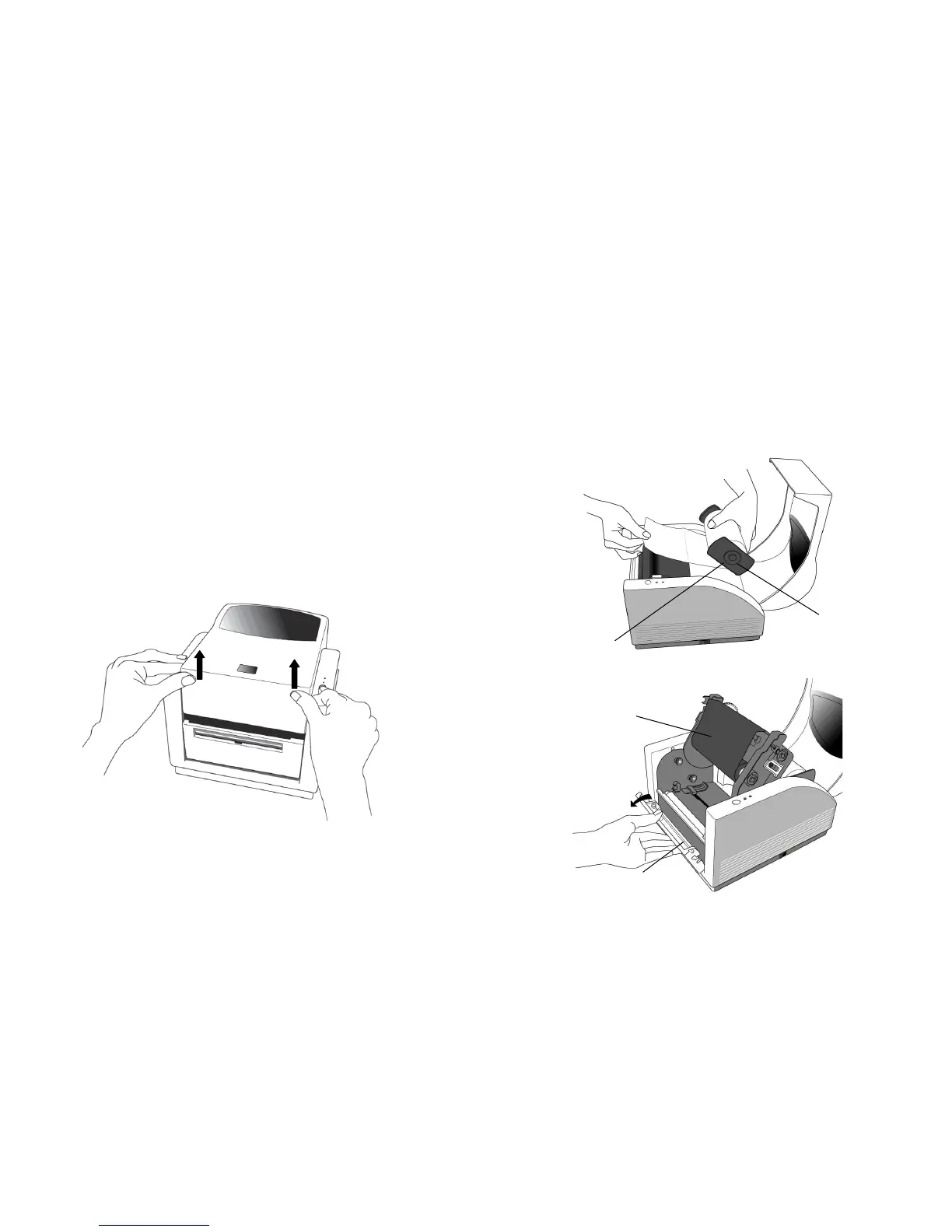
1. Lift the top cover to expose the media compartment.
A Series User’s Manual
2. Remove the media hanger.
3. Load the media roll onto the hanger.
4. Unlatch the print head module.
5. Open the front cover to allow the labels pass through the slot.
Media Compartment
Media Hanger



 To Next Page