31
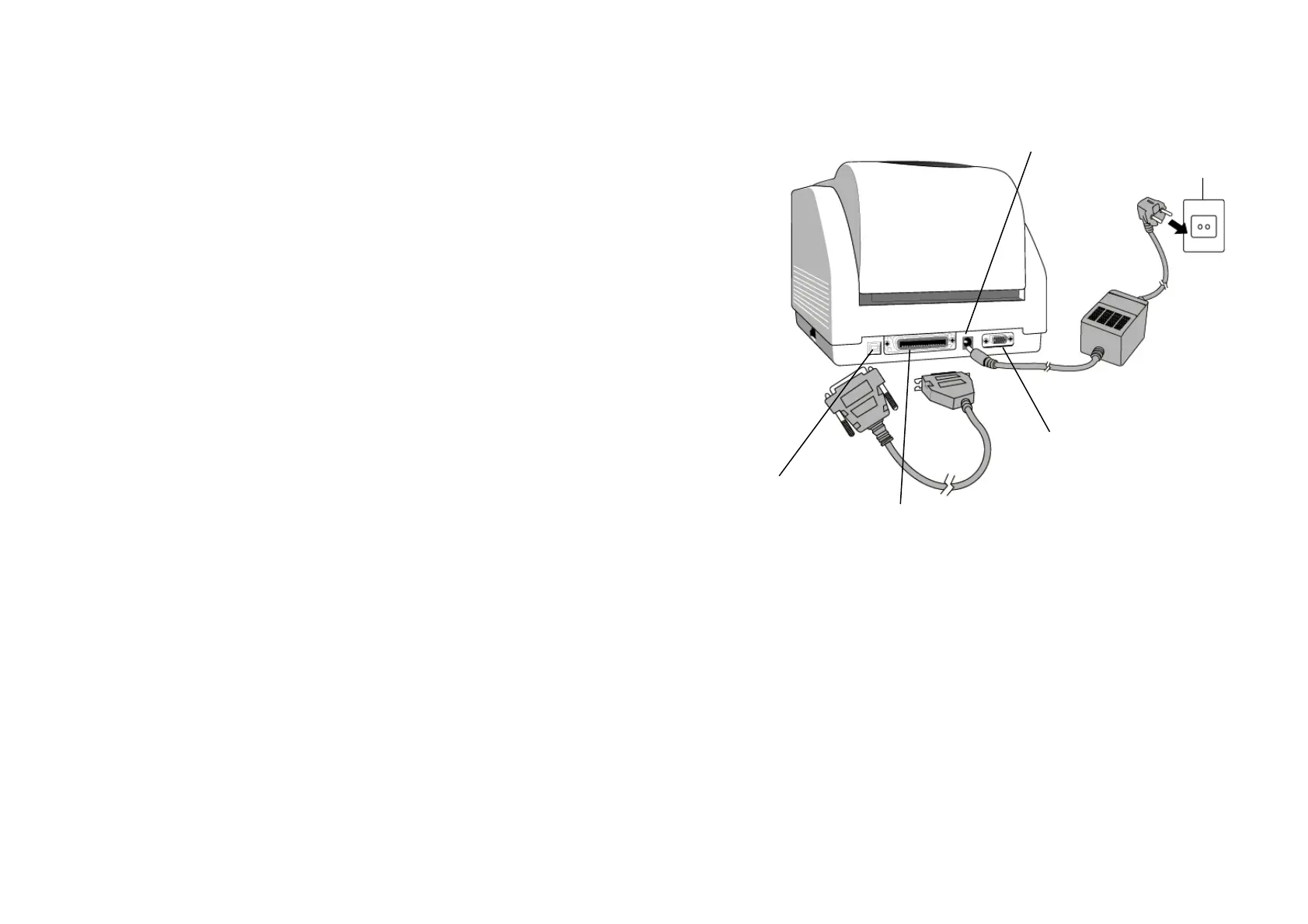
10. Hooking up the Printer and Computer
Note :
The power supply barrel connector must be inserted into the
power jack on the back of the printer before connecting the
communication cables.
This printer comes with both a nine-pin Electronics Industries
Association (EIA) RS-232 serial data interface, a standard
Centronics parallel interface and USB interface (except A-150). In
either case, you must supply the required interface cable for your
application.
Note :
This printer complies with FCC "Rules and Regulations" ,
Part 15, for Class A Equipment, using fully shielded six-foot
data cables. Use of longer cables or unshielded cables may
increase radiated emissions above the Class A limits.
Serial (RS-232) Interface Requirements
The required cable must have a nine-pin "D" type male connector
on one end, which is plugged into the mating serial port located
on the back of the printer. The other end of this signal interface
cable connects to a serial port at the host computer.
For technical and pin-out information, please refer to the
Reference Technical Information-Interface Specification on page
55 of this booklet.
32
Power Jack
RS232 Serial Port
Parallel Port
USB port



 To Next Page