18
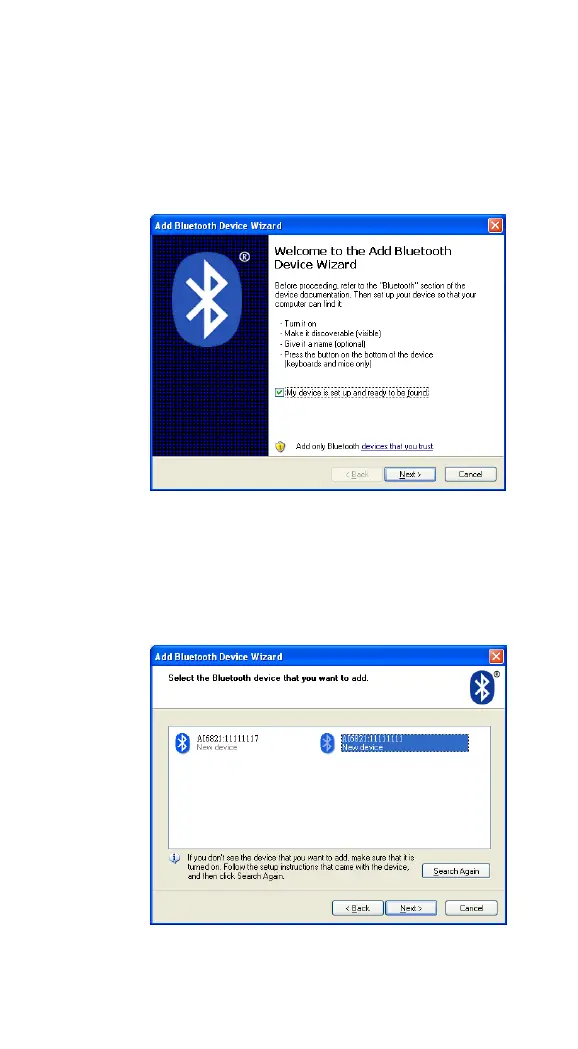
4. In the Add Bluetooth Device Wizard
dialog box, select the My device is set up
and ready to be found check box, and
click Next.
5. If it detects your scanner, it shows
“AI6821:XXXXXXXXX” (X is your scanner’s
serial number) in the list. Click your
scanner, and click Next.



 To Next Page