EasyManua.ls Logo

Argox AI-6821 - Connect to an Android Device

Argox AI-6821
170 pages
Print Icon
To Next Page IconTo Next Page
To Previous Page IconTo Previous Page
Loading...
22
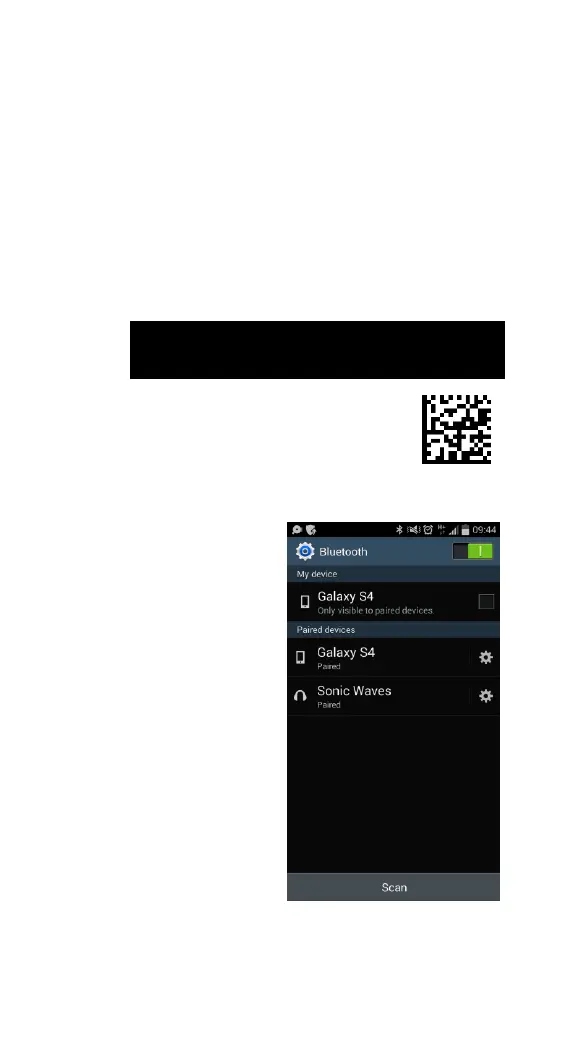
Connect to an Android device
You can connect your scanner to an Android device,
such as a smartphone or tablet. The setup screen
may vary depending on your device. In this section,
we use a smartphone as an example.
1. Scan the PC/Android bar code.

Option
Description
Bar
Code
PC/Android
Connect to a PC
or an Android
device.
2. On your Android
smartphone, go to
the Bluetooth
setting screen. Turn
on Bluetooth.

Table of Contents

Other manuals for Argox AI-6821