82
Compact Printer Series - User’s Manual
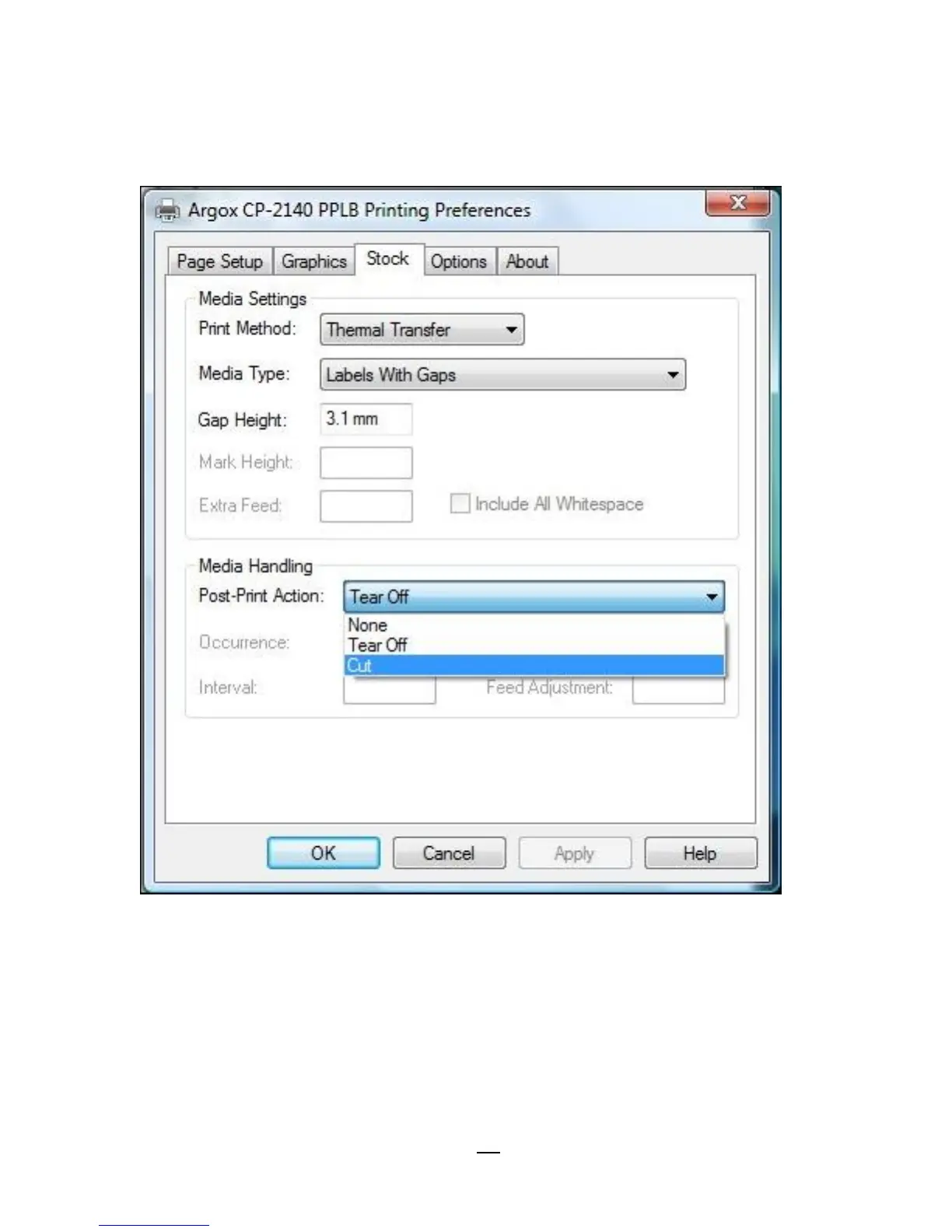
4. Go to “Printing Preference” prompt of CP-2140 driver and then
click on the “Stock” tag. Check “Post-Print Action” settings and select
“Cut”.
※ If there’s Guillotine Cutter installed and partial cut function is
needed, select “Partial Cut” in “Post-Print Action”.



 To Next Page