Appendix A: Printer Status Appendix B:
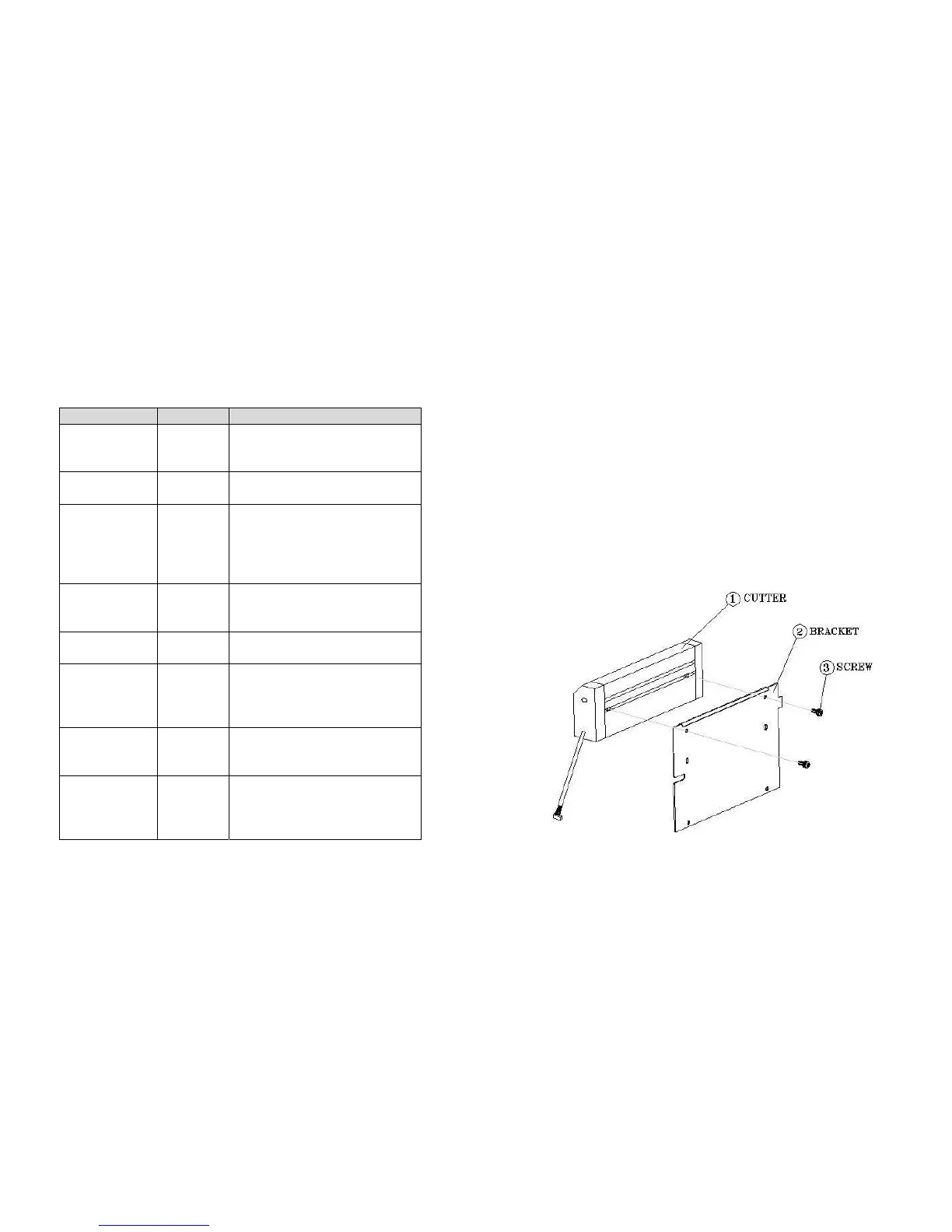
Installation for Cutter
LCD display Blinking LED Description
PAUSE READY The printer is at pause state. Press
PAUSE or CANCEL to return to normal
state.
MEDIA OUT MEDIA
READY
The media is uninstalled or used up.
Load new media to the printer.
RIBBON OUT RIBBON
READY
The ribbon is uninstalled or
end-of-ribbon occurred. Load new
ribbon to the printer. If you just use
thermal media set bit 1 of DIP switch
to OFF position.
SERIAL IO ERROR READY The format or baud rate of the RS232
communication is inconsistent
between the printer and host.
CUTTER FAILED READY The cutter can not cut off the media,
check the media and cutter.
MEMORY FULL READY The printer buffer is full caused by the
loaded soft fonts, graphics or forms.
Check the format of these data. Call
for service.
HEAD OPEN READY The print head latch is not closed. To
print the label the head latch must be
closed.
P. SENSOR O.R. READY The media sensor is out of range
during calibration. Make sure the
media is installed and the label sensor
is put under the media.
1. Turn off the printer
2. Remove the top covers on both left and right sides.
3. Mount the cutter IC to U22 on main board; Take care of the location
and direction, the IC hole ix at lower Position.
4. Set bit 3 of DIP switch (1~8) to ON position.
5. Secure two screws for cutter (1) and bracket (2).
Note:
The drive IC for cutter is 3770.
63
64



 To Next Page