Calibration for Dispenser Sensor
Adjustment
If you find the sensor is not so sensitive or mis –detection you can send
two commands to calibrate it.
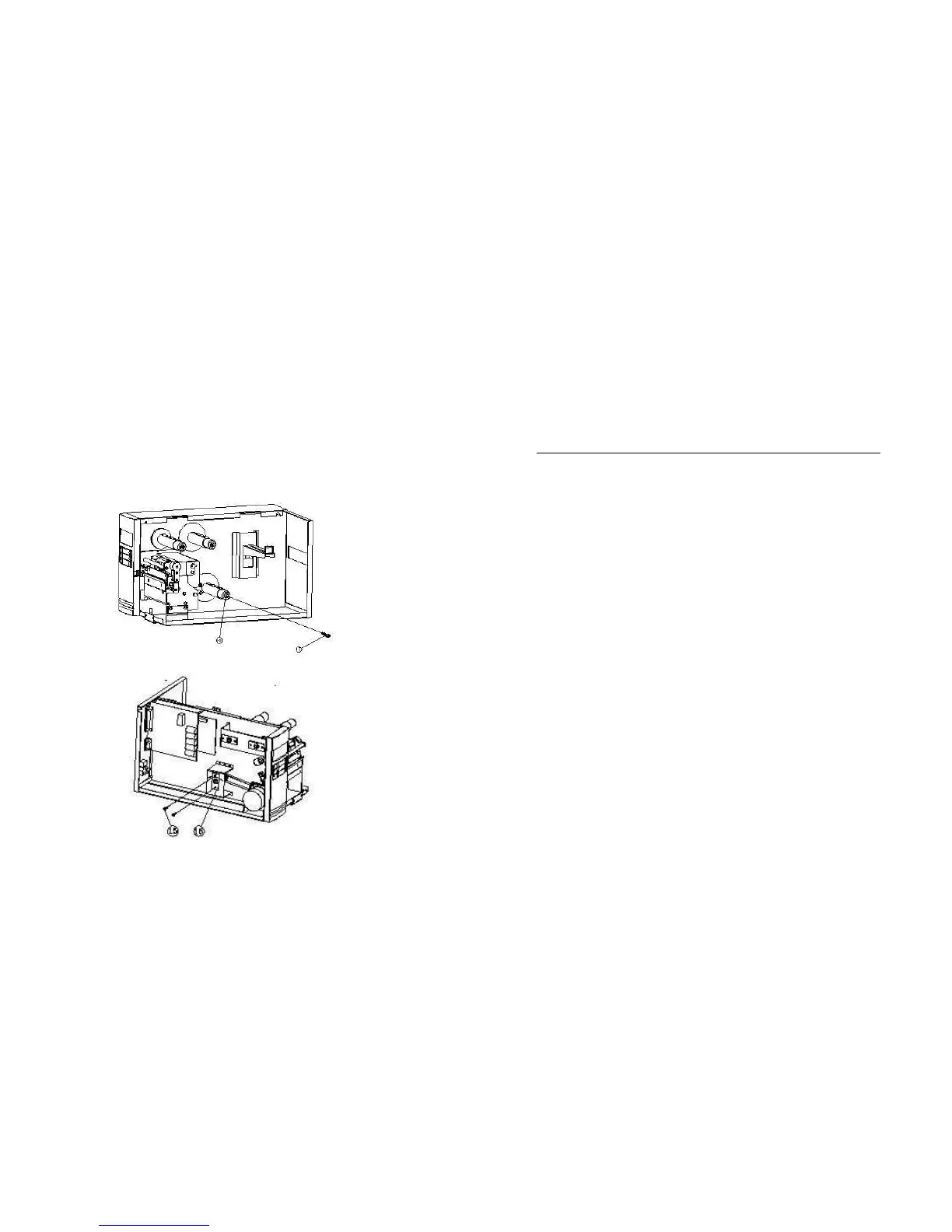
The plastic core (13,14) of the rewinder kit must be parallel with the exit
media or label. To adjust the position you may
Command ASCII Binary Remark33 33
• remove the screw (13), tune the position of component (14), or
Set sensor without label <ESC>$R0 1BH 24H 52H 30H Command 0
• loosen the two screws (15 and 16), shift the position of metal bar and
secure the screws.
Set sensor with label <ESC>$R1 1BH 24H 52H 31H Command 1
70
Step 1. Put the label away from the sensor, send command 0 and wait
for 2 more seconds.
Step 2. Put a label under the sensor (10 mm below), hold it, send
command 1 and wait for 2 more seconds.
69



 To Next Page