Instead of the flash prompt above, another way to install
Seagull driver is to run the DriverWizard utility from the
Installation Directory where the Seagull driver files locates.
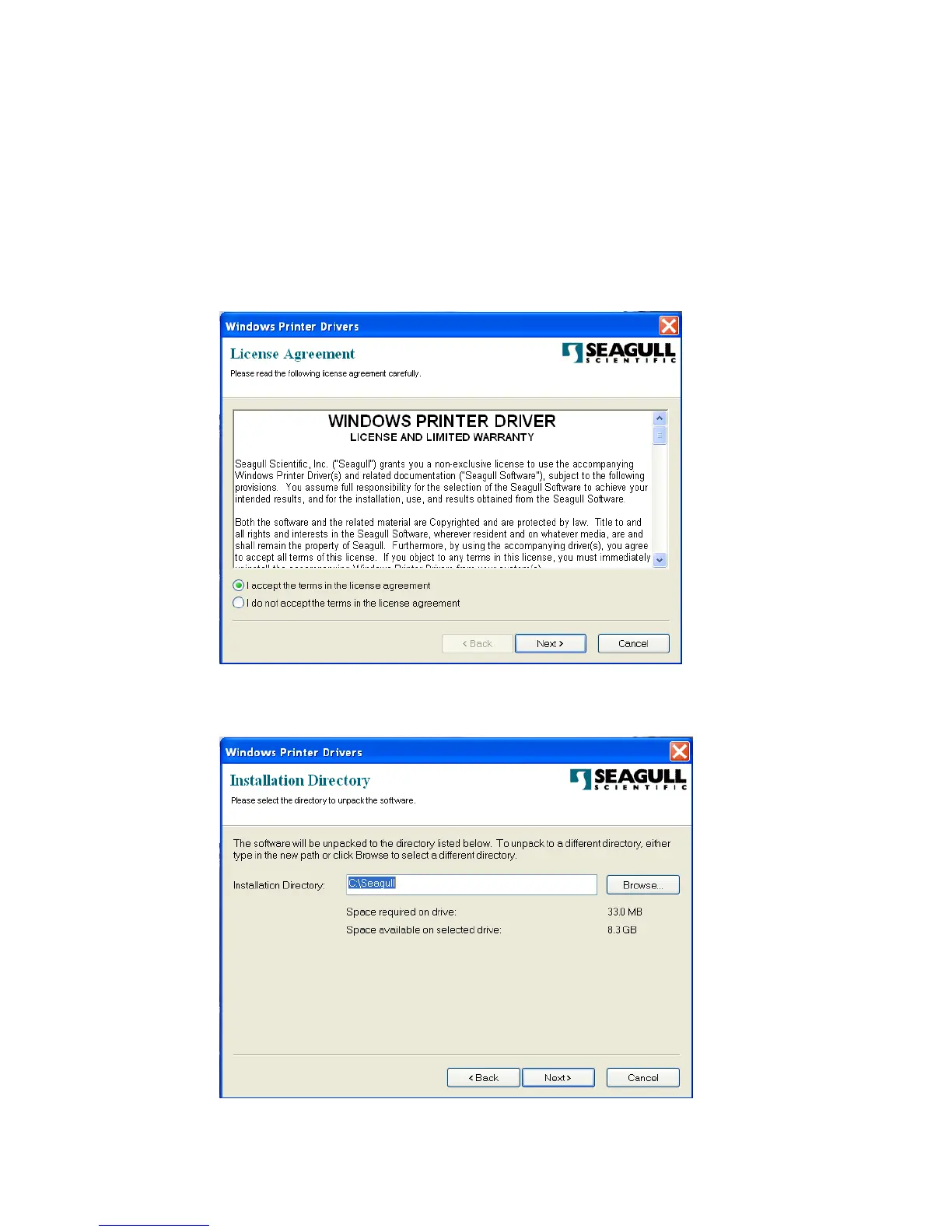
4. On the prompt, Windows Printer Driver, select “I accept…”
and click "Next".
5. Assign the directory to keep Seagull driver, (for example:
C:\Seagull) and click "Next".



 To Next Page