12Get Started
Pro 5S 2K Spotlight Camera
User Manual
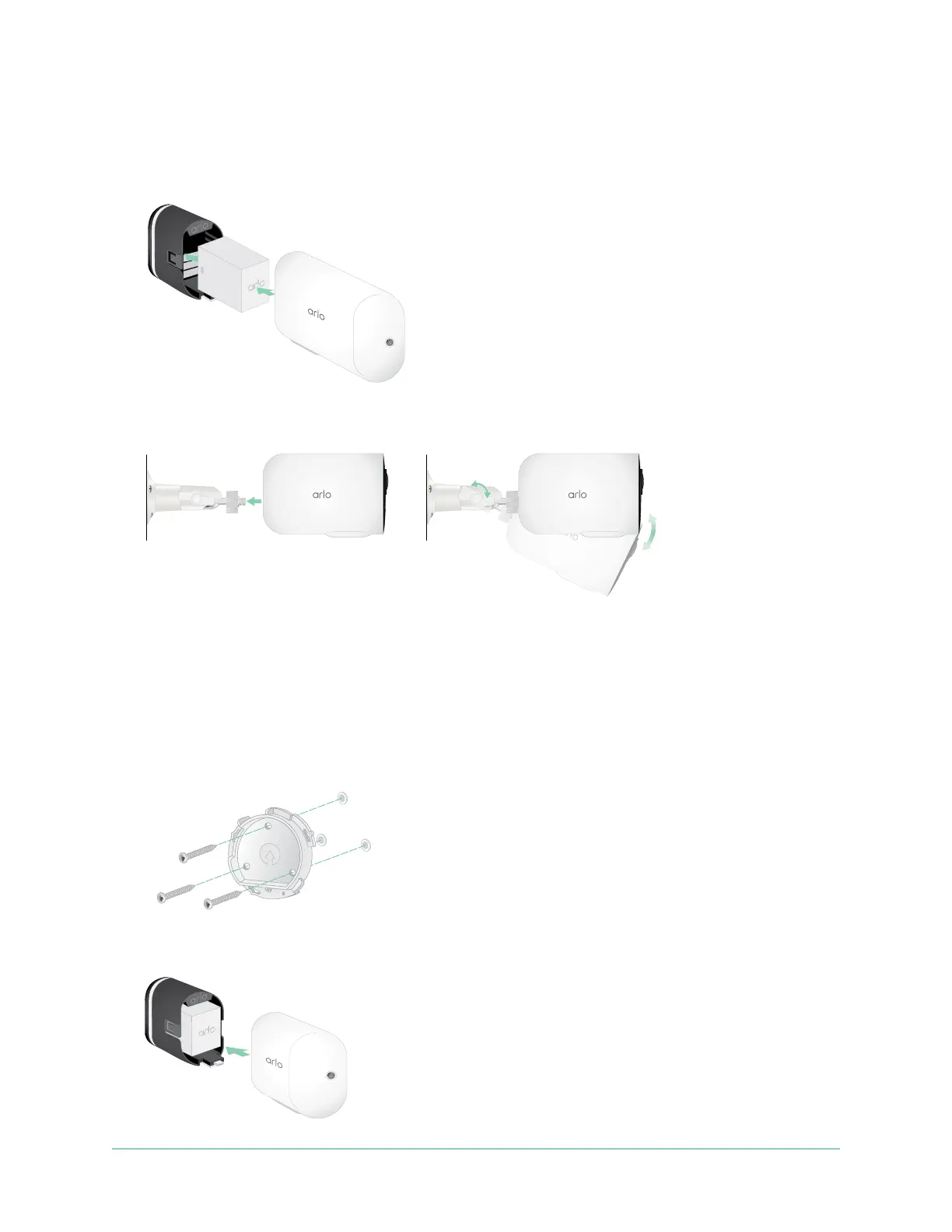
3. Pull the camera all the way out of the camera housing.
4. Insert the XL Battery into the camera and then slide the camera and battery into the XL
Housing.
5. Attach the camera to the outdoor mount and swivel to adjust the camera angle.
Install an Anti-The Mount (sold separately)
1. Place the wall plate against the wall, with the arrow pointing up, and secure it with screws.
Note: If you are mounting your Anti-The Mount on drywall, we recommend using the
included wall anchors.
2. Release the camera from the camera housing.



 To Next Page