24Wi-Fi Setup and Connections
Pro 5S 2K Spotlight Camera
User Manual
Connect an optional Arlo SmartHub
Your camera can connect to a SmartHub or Base Station with Siren. The SmartHub or base
station uses an Ethernet cable to connect to your router.
Connect a SmartHub
The Arlo Secure App guides you through the steps to install and
set up your Arlo SmartHub.
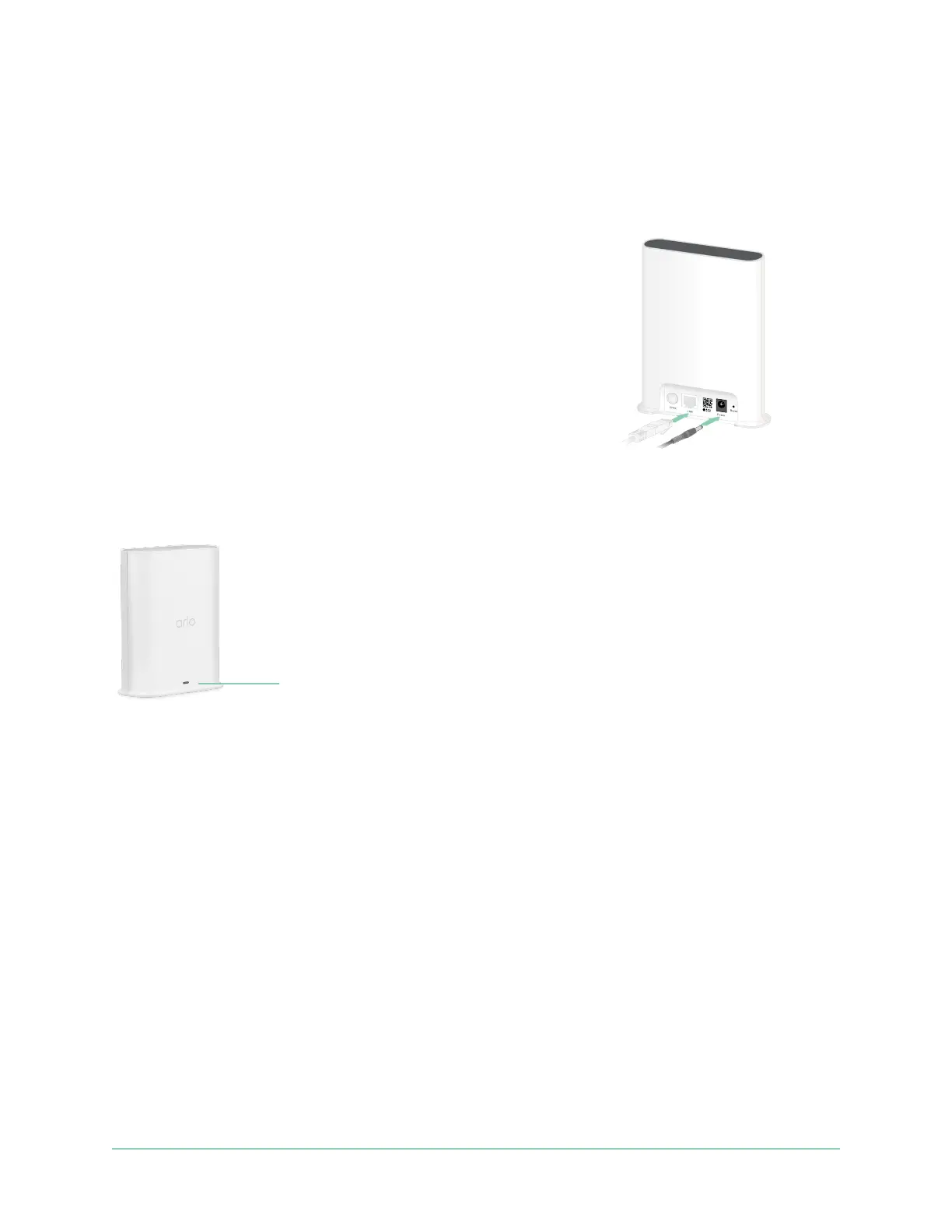
1. Connect the SmartHub to your router with an Ethernet cable.
2. Connect the AC adapter to the SmartHub and plug it in.
The LED on the front of the SmartHub lights.
The SmartHub LED
The SmartHub LED located on the front panel indicates the status of the SmartHub.
The LED blinks once when the SmartHub is rst powered on. Then the LED lights as follows:
• Solid blue. The SmartHub is connected to the internet.
• Slow blinking blue. The SmartHub is ready to sync and pair with a camera or is connecting
with a camera.
• Fast blinking blue. The SmartHub paired with a camera.
• Solid amber. An error occurred or something is wrong with the connection.
• Slow blinking amber. The SmartHub can’t connect to the camera. The camera can’t be
found, is out of range, or another connection error occurred.
• Alternating blue and amber. A rmware update or a reset is in progress.
SmartHub
VMB5000
LED



 To Next Page