15Get Started
Pro 5S 2K Spotlight Camera
User Manual
4. Tap Video Settings > Video Mode.
5. Tap a eld of view to automatically apply it to your camera.
Position your camera to detect motion in
specic areas
You can mount and aim your Pro 5S 2K Spotlight Camera in dierent ways to optimize the
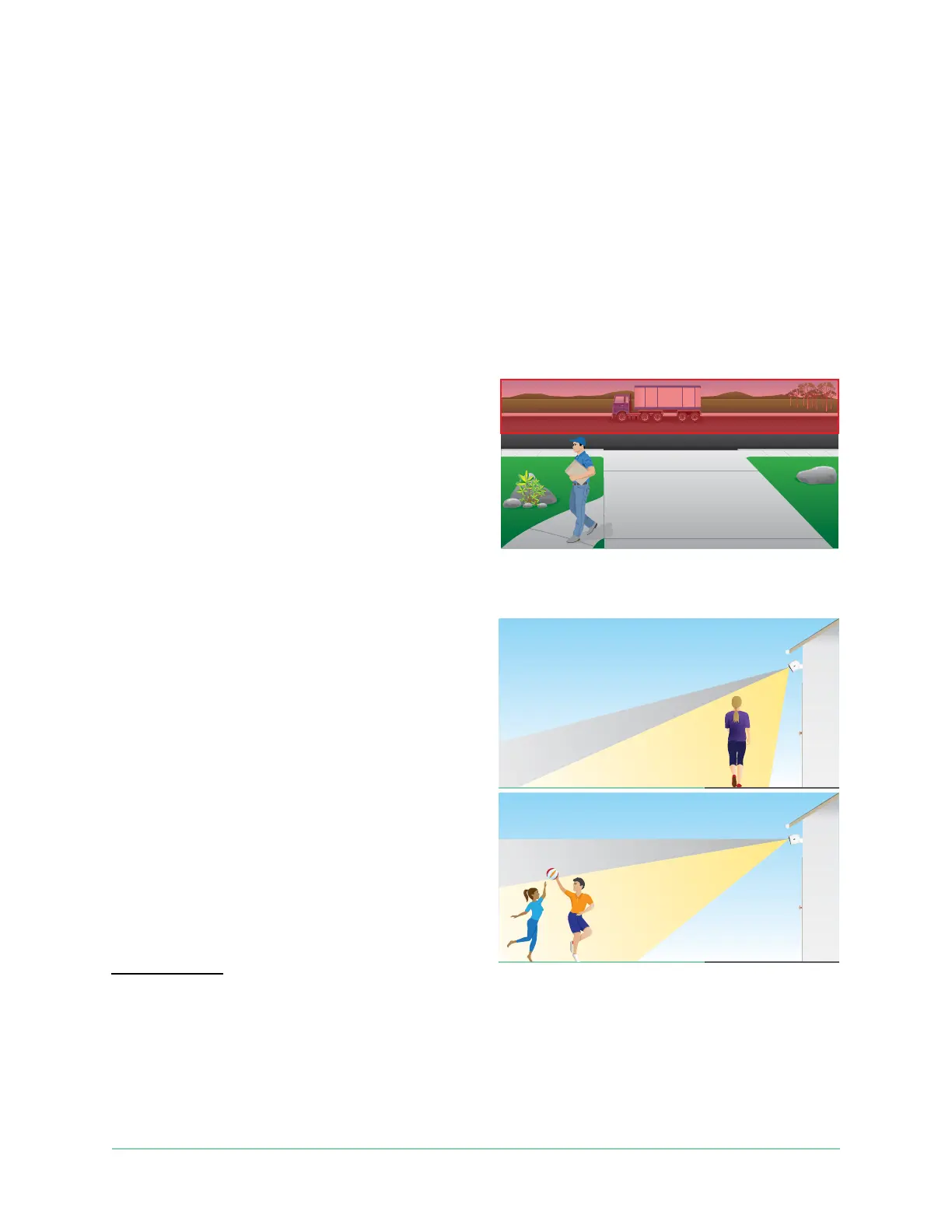
camera’s ability to detect motion in specic areas. The lower two-thirds of the camera’s eld
of view is the motion-sensitive part of the image. Aim the camera so that any motion you wish
to detect appears within this part of the image.
If you want to monitor motion closer to the
camera, such as visitors to your front door,
mount the camera at least 6.5 feet (1.9
meters) high
*
and aim it so that visitors
appear in the lower two-thirds of the image.
This angle works well to avoid motion alerts for
movement in the top third of the image, such as
vehicles driving by.
To monitor motion occurring farther away,
such as children playing on a lawn, aim the
camera higher to frame the area within the
lower two-thirds of the image.
It’s best to position the camera so that motion
is moving from side-to-side across its eld
of view rather than directly toward or away
from the camera. Also, though the camera can
detect motion up to 25 feet (7.6 meters) away,
the best area for motion detection is 5 to 20
feet (1.5 to 6 meters) from the camera position.
*At 6.5 feet (2 meters) or higher, we recommend using the Arlo Outdoor Mount.



 To Next Page