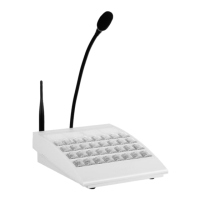
DIS-IP2 DESKTOP CALL STATION
USER MANUAL
armtel.com page 17/37
info@armtel.com © Armtel
− disconnect ADSL line (for version identification -04…-07);
− pack DIS-IP2 and components into the customer manufacturer’ package.
2.4 Product operation
2.4.1 DIS-IP2 can be used as intended in various modes, e.g. in simplex mode, in
communication mode with telephone system based on SIP, when establishing communica-
tion session, using ADSL or Wi-Fi. The mode selection and setting is performed, when con-
figuring DIS-IP2. To ensure the best communication quality during negotiations, it is rec-
ommended to maintain a distance of approximately 20 – 30 centimeters, but not less than
12 cm.
2.4.2 Upon delivery, DIS-IP2 has a set of characteristics assigned by the manufacturer
by default. The following network settings are set:
− IP-address – 192.168.100.10;
− subnet mask – 255.255.255.0;
− default gateway – not set;
− web-interface password – not set;
− network interface – eth0;
− subscriber number – 100;
− SIP server – not set.
The default characteristics are stored in the file «default.par».
Before use, the DIS-IP2 must be configured according to the functions it is to per-
form. The configuration is carried out from the administrator's PC, on which the software
"Configuration Tool of IPN2 system" RMLT.00041-01 34 01 should be installed.
When configuring the DIS-IP2, the network settings are specified and the button
functions are programmed.
As the presence of devices with similar IP-addresses in one network is not admitted, it
is necessary to perform the network parameters setting for each DIS-IP2 prior for connect-
ing to the common network. In the DIS-IP2 passport, write down the set IP address.
Additionally, the pushbutton function programming is carried out, when configuring
DIS-IP2. The functions accessed for configuration to the direct call pushbutton are grouped
in the program by functionality. Certain individual function may be assigned to each DIS-
IP2 pushbutton depending on the type of protocol used ("Armtel-IP" or SIP), for example:
Conference, Circular, Selector etc.


 To Next Page