
 Need help?
Do you have a question about the ARMTEL DIS-IP2 and is the answer not in the manual?
Explains the primary use, purpose, and functions of the DIS-IP2.
Technical and operational characteristics of the DIS-IP2.
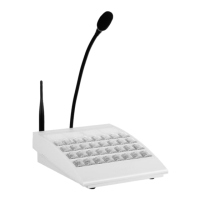
Details the physical design and components of the DIS-IP2.
Overview of key components like main board, buttons, Wi-Fi, ADSL, and microphone.
Conditions and limitations for operating the DIS-IP2.
Instructions for installing and connecting the DIS-IP2.
Detailed guide on operating the DIS-IP2, including settings and functions.
Common problems and their solutions for the DIS-IP2.
How to program and assign functions to the direct keys (pushbuttons).
Overview of communication modes (simplex, duplex) and functions.
General principles and objectives of product maintenance.
Step-by-step guide for performing maintenance on the DIS-IP2.
Procedures for testing the functional operability of the DIS-IP2.
Specifications for connecting external 12V/48V power adapters.
 General
| Brand | ARMTEL |
|---|---|
| Model | DIS-IP2 |
| Category | Intercom System |
| Language | English |

 To Next Page