Chapter 5: Using the Cable Modem Web Manager
PN 365-095-28610 x.3 SURFboard SB6190 Cable Modem User Guide
Copyright 2016 ARRIS Enterprises, LLC. All rights reserved. 20
Get Help
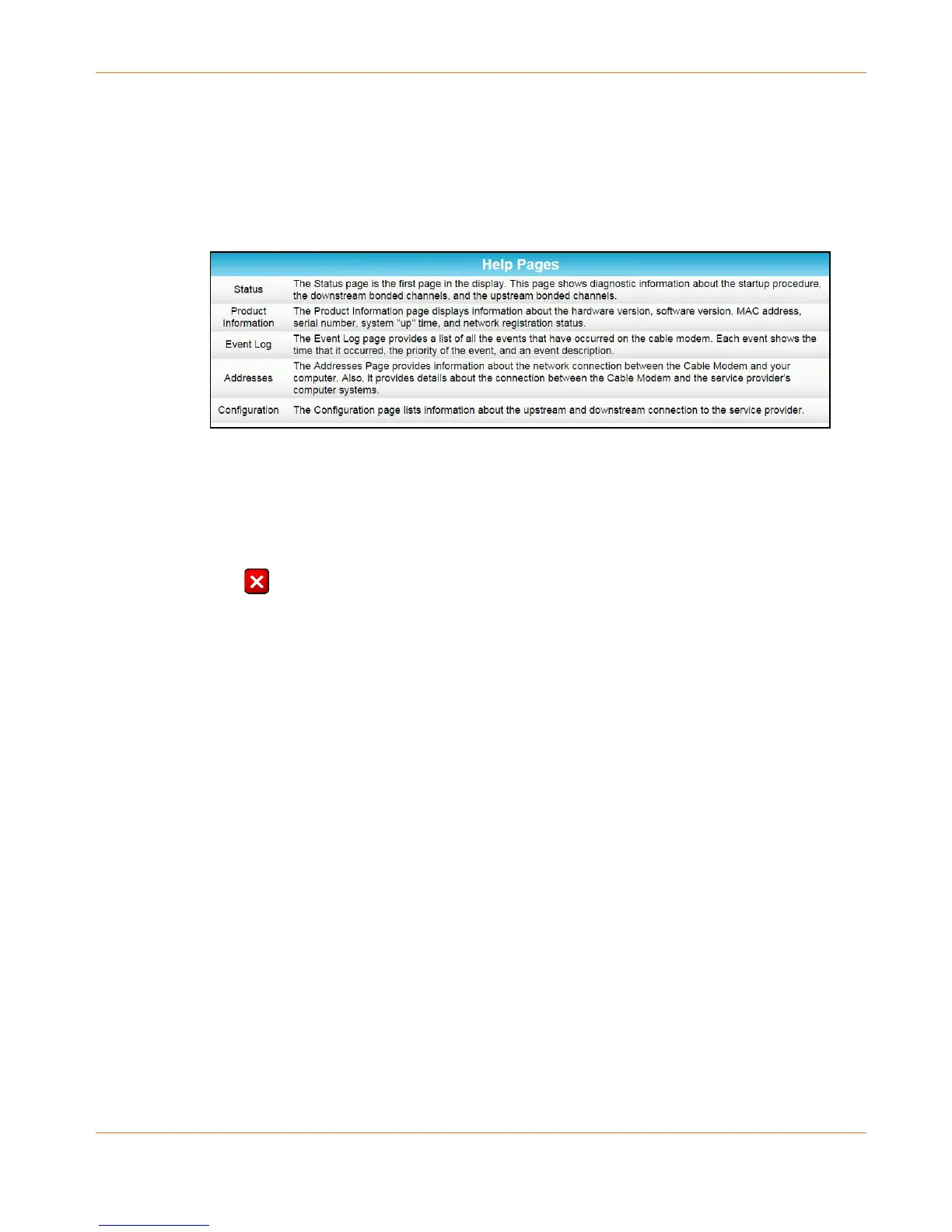
The Help feature provides a brief description for the SB6190 Web Manager screens.
Click the Help menu button or link on the SB6190 Web Manager screen to open the
SB6190 Help screen.
Figure 8: SB6190 Help Screen
Exit the SB6190 Web Manager
To exit the SB6190 Web Manager:
Click (Close button) in the upper right corner of the web browser window to exit the
SB6190 Web Manager and close the web browser window.










 To Next Page