Chapter 6: Monitoring Your Cable Modem and Connected Network
PN 365-095-28610 x.3 SURFboard SB6190 Cable Modem User Guide
Copyright 2016 ARRIS Enterprises, LLC. All rights reserved. 26
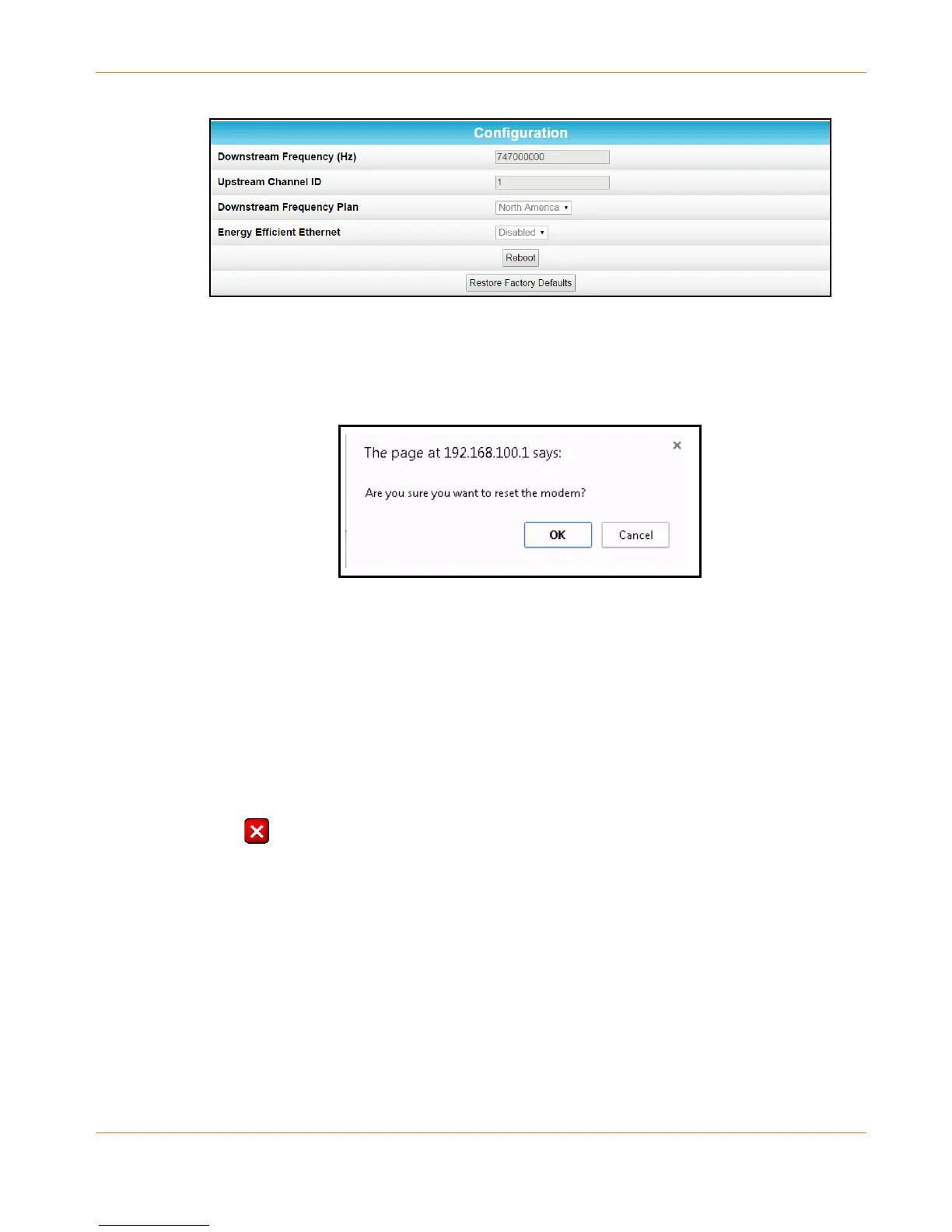
Figure 15: SB6190 Restart Cable Modem Configuration Screen
3. Click Reboot.
The following message dialog will display:
Figure 16: Cable Modem-Reboot Dialog Box
4. Click OK.
The following message will display: The device has been reset… RELOAD.
5. Click RELOAD to open the SB6190 Web Manager.
Exit the SB6190 Web Manager
To exit the SB6190 Web Manager:
Click (Close button) in the upper right corner of the web browser window to exit the
SB6190 Web Manager and close the web browser window.










 To Next Page