Maintenance of the eSTOP™
1. When power to the battery is low the “status indicator” will show yellow. The HRC must be
charged. Running the HRC at low voltage for prolonged periods may degrade the battery’s
integrity and reduce the HRC’s transmitter power and will affect the reliability of the system.
2. Turn all battery units off when not in use (both the eSTOP™ unit and the HRC unit).
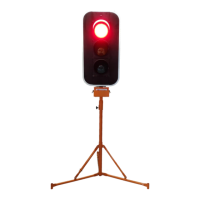
3. The Lantern should be wiped with a damp cloth to remove dirt/dust which may form.
IMPORTANT – As a safety precaution, in case of communication failure/out of range, the lantern will default
to RED
Troubleshooting
If troubleshooting does not solve the issues, contacting the manufacturer is advised.
Soft Reset
HRC – Assuming battery is not low. In the event of no response from the HRC, press down both button
❶ and ❷ at the same time to soft reset the HRC. A sequence of flashing all LED indicators on the HRC
will take place and a beep will sound then powers off. The HRC should then
operate as usual.
eSTOP™ Lantern – Assuming battery is not low. In the event of unknown error or faults, soft reset the
eSTOP™ lantern by powering it off and on again. The power switch is located on the bottom of the eSTOP™
unit.
Battery check
HRC – in power off mode. Pressing the ‘Stop’ ❺ button on the HRC will show the battery status of the
HRC. Refer to “Charging the HRC battery” section A of “Care and Safe Handling of Batteries” for more
detail.
eSTOP™ Lantern – when the lantern is sync to the HRC during test mode, use the ‘Stop’ ❺ button to check
the battery status of the of the lantern. Refer to section B of “Care and Safe Handling of Batteries” for more
detail.
Faults
Coms fail – check that the distance of the eSTOP™ from HRC does not exceed the maximum operating
distance. Check that the correct unit is being paired or pair the units again. Perform a system soft reset.
Tilted – check the eSTOP™ unit is not on tilt over 20 degrees from vertical. Place eSTOP™ unit in its
operating vertical position then perform a soft reset to recalibrate its orientation.
Low Battery – use the battery check procedures to check the battery status. Charge the batteries if
they are low.
Lantern fault – Use LED test procedures to check the LED fault. If the eSTOP™ operates but an individual
LED module remains faulty, contact manufacturer for replacements. An individual LED module can be
removed by releasing the latches located on the top left or right corner, then disconnect the connector
attached to the module cable.


 To Next Page