User manual – eSTOP DVR camera system
Only for applicable eSTOP
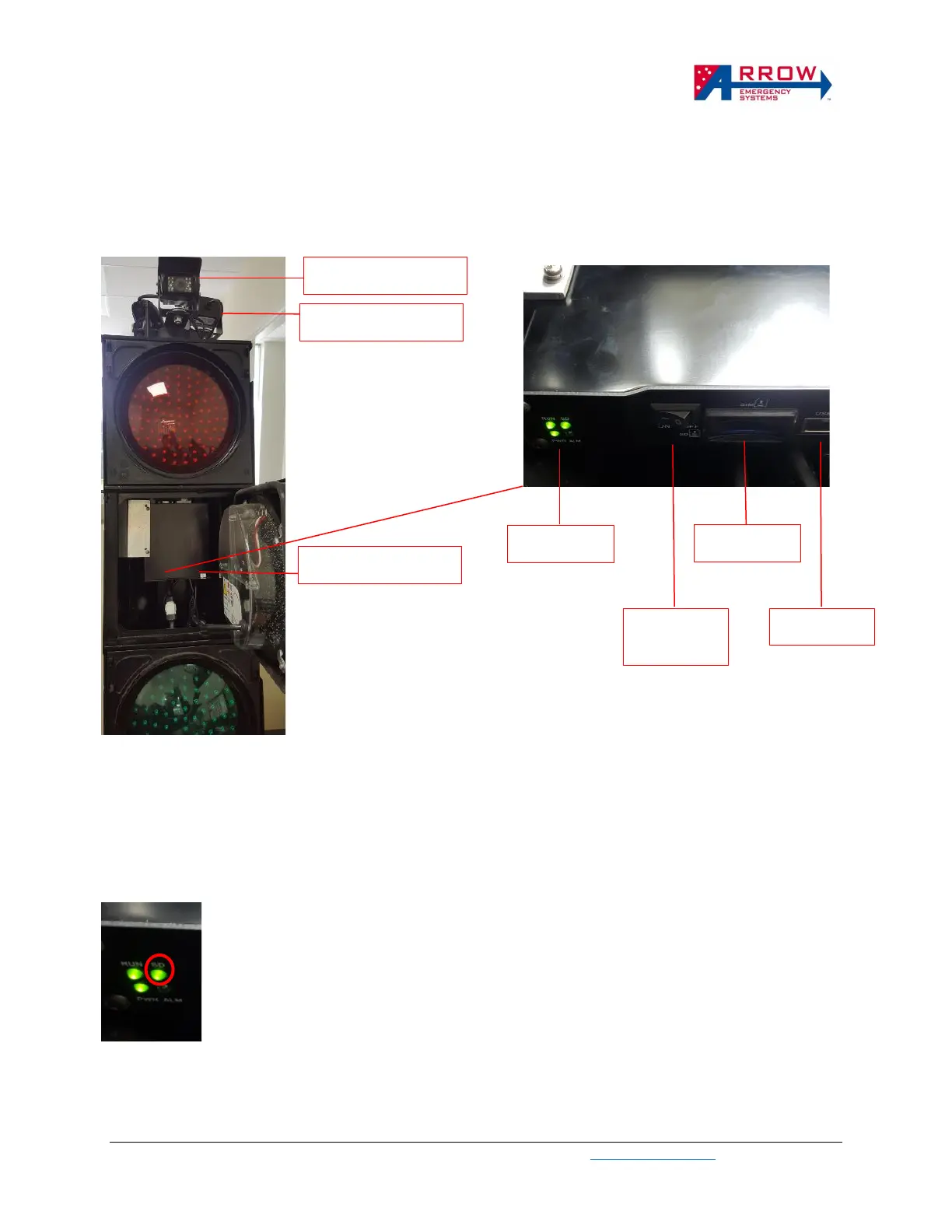
eSTOP camera and DVR placement
Figure 1. eSTOP Camera and DVR
Recording
The eSTOP DVR is set up to record automatically when the eSTOP traffic light powers on. There is a 1
minute delay for the DVR to complete startup and start recording.
A Green light under SD status indicates the DVR is recording.
Stop recording


 To Next Page