Batteries - Care, Safe Handling and Charging
When power to the battery is low (3.6v or less) the “status indicator” will show yellow. The HRC must be
charged. Running the HRC at low voltage for prolonged periods may degrade the battery’s integrity and
reduce the HRC’s transmitter power and will affect the reliability of the system.
DO only use the battery supplied. If replacement batteries are required, please contact ArrowES for the
correct battery.
DO store batteries in their original packing, in a dry place and at normal room temperature. Do charge
battery to 80+% if storing for long term. DO keep all batteries in a safe place away from Children and pets.
A. Charging the Batteries
1. The HRC Battery
The HRC can be charged from any USB device including the one attached to the eSTOP™ unit base (the
screw cap and USB connection are located at the base of the eSTOP™).
When the HRC is switched off and the USB is attached to a charging device a red charge light indicates
that the battery is being charged. When the light is green, the battery is fully charged. A flashing red light
indicates that there is a battery fault, and the battery should be replaced.
(Note: the battery charge indicator is only active when the remote control is switched off)
While the HRC is powered off and not charging, pressing stop button will light up the Red, Yellow, Green
LEDs which indicates 3 battery levels. (refer to battery status for further detail)
2. The eSTOP™ Lantern Battery
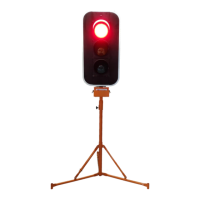
The eSTOP™ is fitted with a light weight LifePo4 battery. and to charge, removing the connector at the
top box of the battery and connecting to the battery charger that is supplied by ArrowES
The battery is charged to 240AC outlet charger, an indication LED on the charger shows the status of
charging.
-Red indicates charging
-Green indicates charging complete
Note: using any other non LiFePo4 charger could damage the battery and degrade the life expectancy of the
battery. If the battery/charger gives an odour, generates heat, becomes discoloured or deformed, or in any way
appears abnormal during use, immediate stop using the battery and chargers, then contact your supplier.
B. Battery Status
1. The HRC
When the HRC is switched off, pressing button ❺ will provide battery life status. Each of the LED
indicator light (❸ ❹ ) red, yellow and green represents 1/3 of the battery life (similar to a battery bar),
such that red+yellow+green indicates fully charged, yellow+green indicates 2/3 and green 1/3 of battery
life remaining.
(Note: the battery charge indicator is only active when the HRC is switched off)


 To Next Page