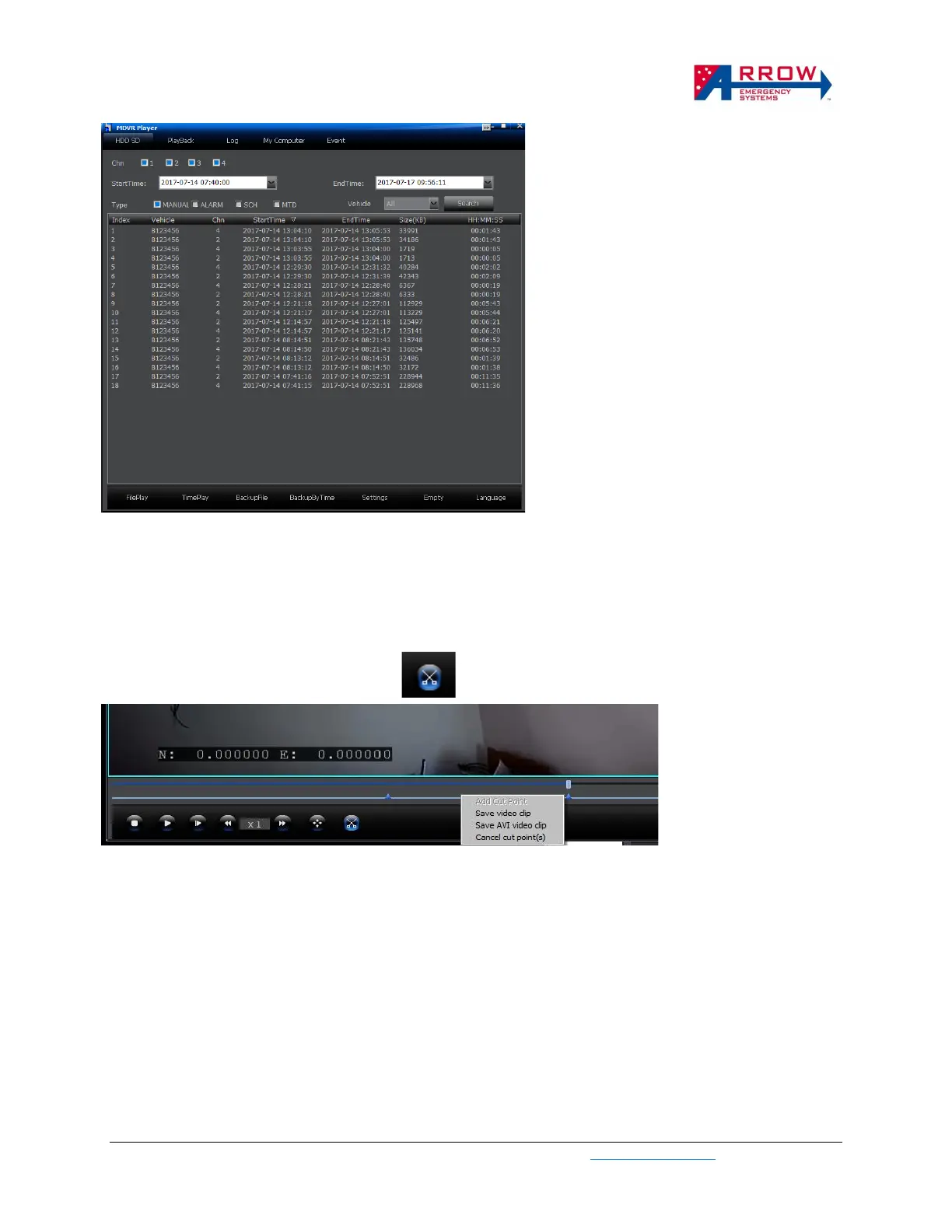
Search footage by time
If the DVR SD card is plugged into the PC, the
StartTime and EndTime on the software shown
above can be set to Search the time period of
the video required.
Double click on any of the video files listed
allows them to be played.
The files can be backed up using the BackupFile
or BackupByTime buttons on the bottom menu
bar.
Cut clips to backup
When the video is being played, clicking on the cut icon shown below allows the video to be cut with
a starting and end point.
A time line will appear on the bottom of the video when the cut icon is clicked.
Right click on the line to set starting and end point of the clip.
Then right click in between the 2 points to back up the clip as AVI format.


 To Next Page