22
Method 1: Change on Application
Users can change play mode on the application, WiFi, Bluetooth, Phono input, Optical input, HDMI ARC, Line input and
USB. To change from Bluetooth/line input/USB to WiFi, only need choose the online streaming services such as Tidal,
Qobuz or Spotify or cell phone local storage music or any music via DLNA or UPnP streaming.
Method 2: Change with remote control
Users can use the remote control to change the play modes-WiFi, Bluetooth, Phono input, Optical input, HDMI ARC,
Line input and USB.
Method 3: Press the Mode Button
User can press the mode button once to switch source mode, WiFi, Bluetooth, Line input, USB.
8.8 Change Input Source Mode
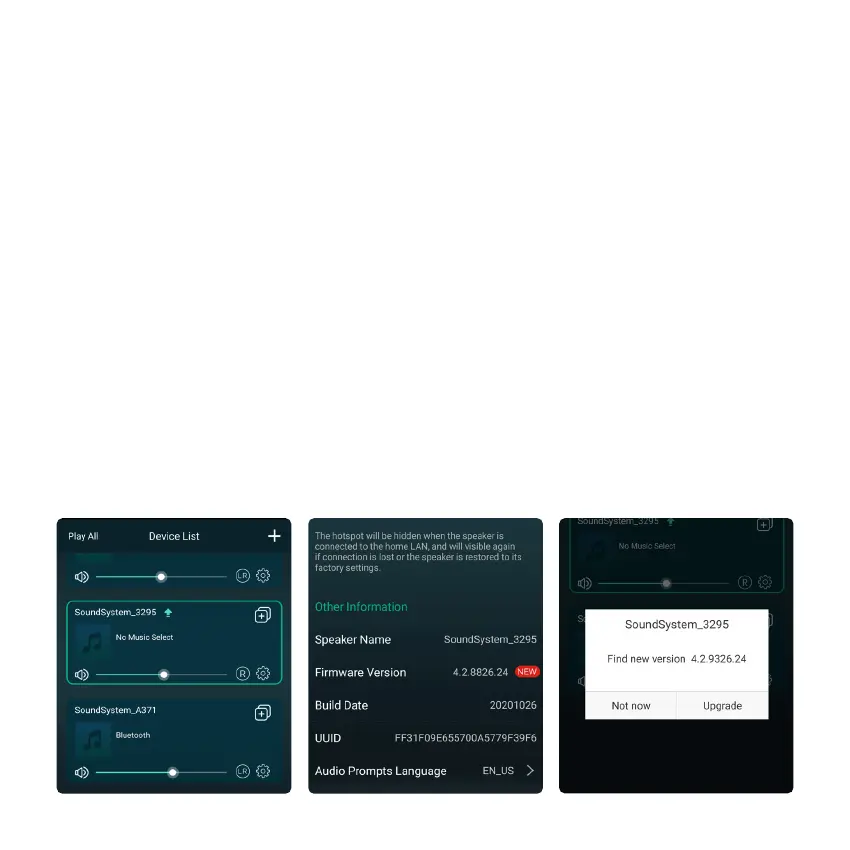
The application will notify you in app when there is a new fireware version available. It's recommended to update
fireware whenever available as this might not only correct bugs or improve security,but also can add new features or
services.
Two methods to restore device to factory setting
Method 1: Quickly press the mode button 3 times to restore factory settings.
Method 2: Go for "App setting - speaker info - restore factory setting"
8.9 Restore Factory Setting
8.10 Firmware Update



 To Next Page