EasyManua.ls Logo

ASA Electronics AZ800 - 10 Emergency Switches

ASA Electronics AZ800
68 pages
Print Icon
To Next Page IconTo Next Page
To Previous Page IconTo Previous Page
Loading...
AZ800 user manual - hardware
Created by: MPuchner 07.2019
version: 9600021A
Original user manual
page 47 of 68
printed: 04.03.2020
10 Emergency Switches
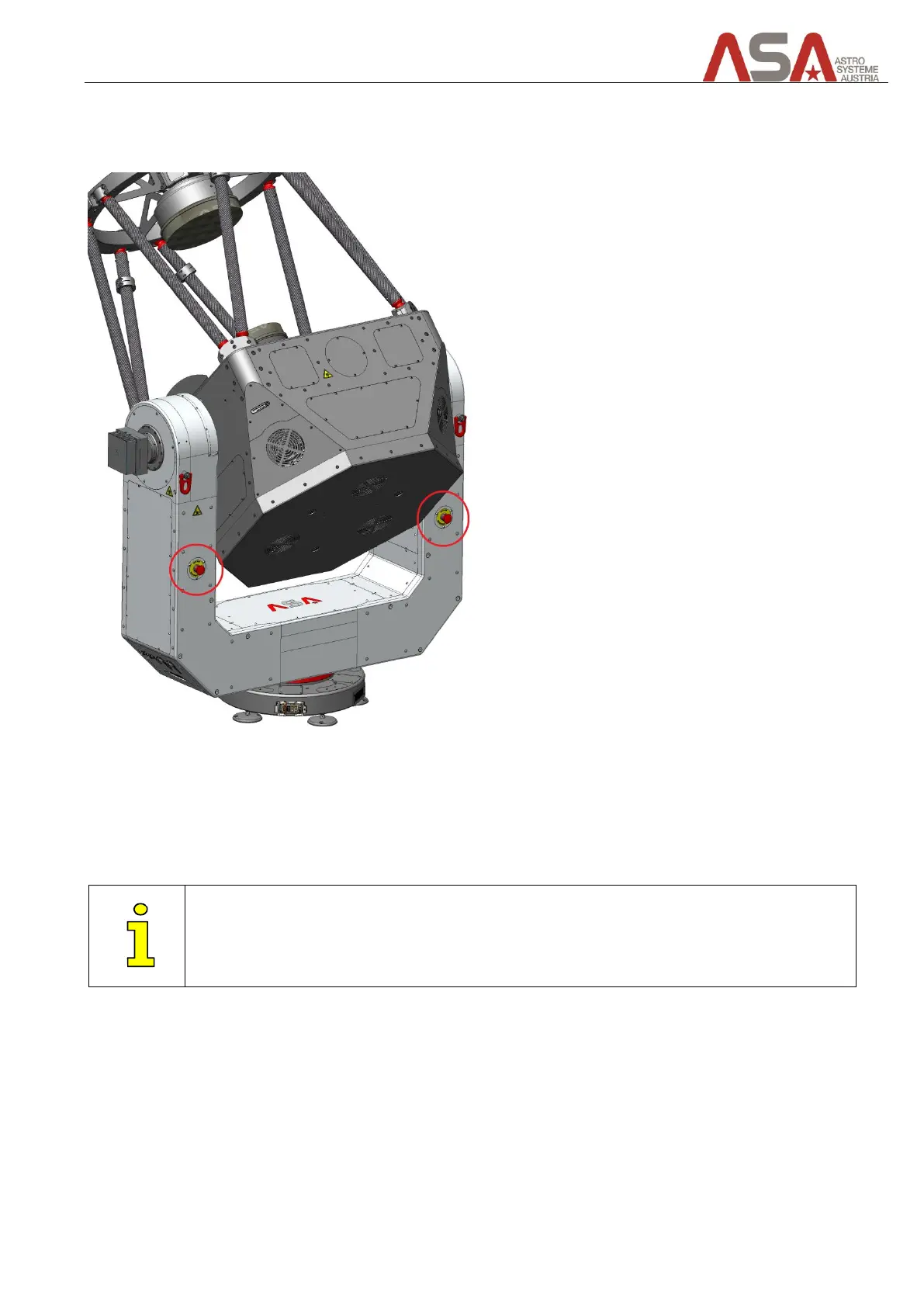
There are 2 emergency switches located on the back sides of the fork arms.
Figure 42 - Emergency switches
By pressing one of the buttons, the motor controller’s power supply is disconnected. So the main axes do not
have power and can be moved by hand.
Rotate the buttons clockwise to release them.

Only use the emergency switches in case of emergency!

Table of Contents