Page 18 Version 2.14 Maintenance and Service Manual
8.4 Onboard control
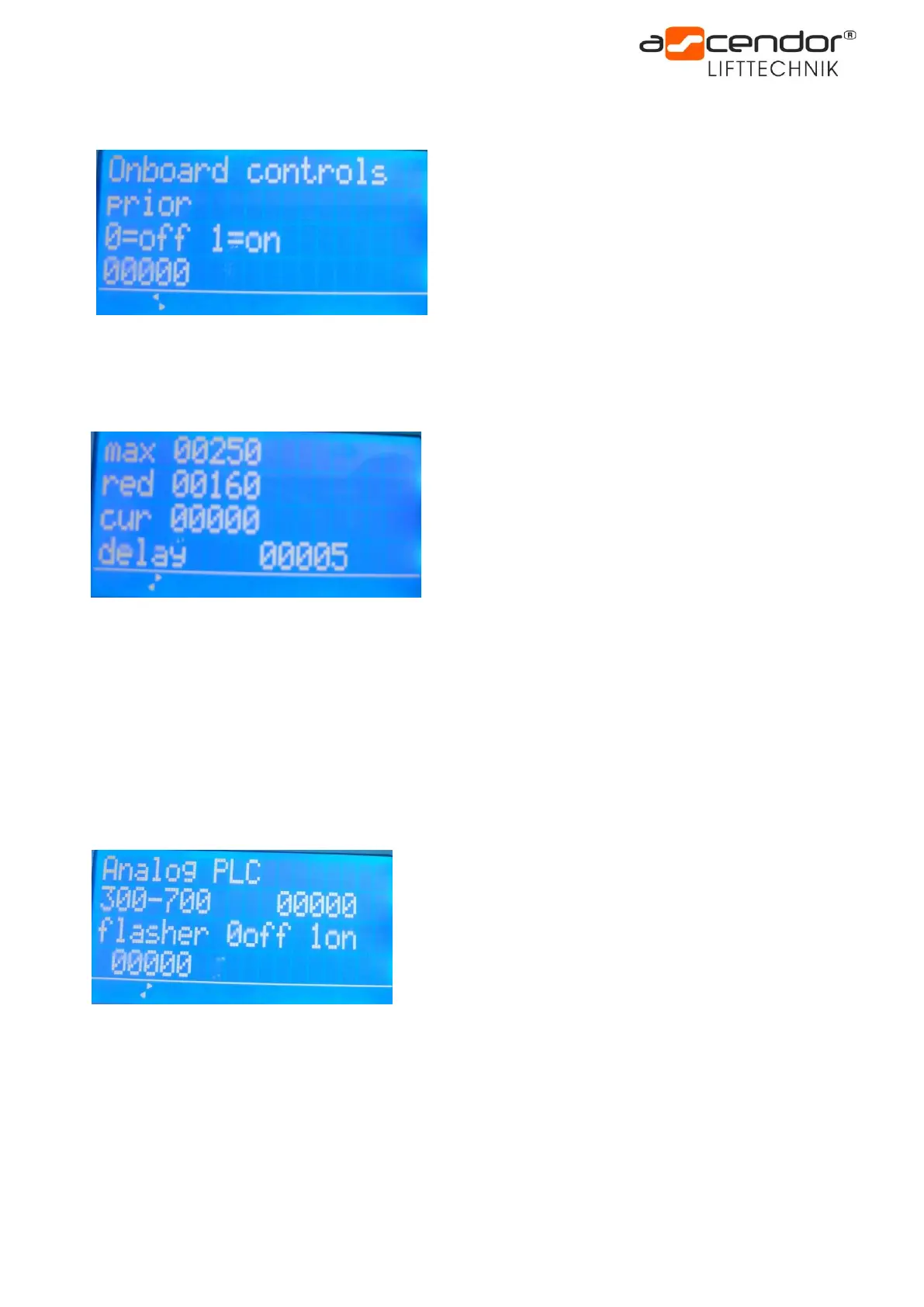
Onboard controls prior:
0 = Onboard and remote control are coequal
1 = Onboard control has priority
Once this function is activated the UP and DOWN buttons
on the remote controls are only functional when the
platform is folded!
8.5 Monitoring of platform motor
Maximal current value (max.):
Protects the platform and safety bar motors from electrical
overload. If this value is exceeded, the power supply to
platform and safety bar motors will be switched off.
A value of 250 is recommended.
If fault 4 – Platform or safety bars are overloaded – appears
on the PLC display this value may be altered in small
increments. The maximum value is 310.
Reduced (red): This value controls the smooth closing of the platform. We recommend a value between 50
and 180, depending on the platform size.
Current value (cur.): displays the actual current value of the platform motor.
Delayed running (delay): time delay switching off the platform motor (ensures that the motor is no longer
under load while folding down). This value should NOT be adjusted!
8.6 Analog PLC, Flasher
Analog PLC:
This value can be used to check if the signal from the remote
controls reaches the PLC.
UP or DOWN from onboard control:
Value = 1023-1024
Unfold or fold the platform:
Value between 300 and 700
UP or DOWN from remote control:
Value = 0
Flasher:
If the lift is equipped with an optical and acoustical warning signal it can be activated or deactivated with this
parameter.
Changing parameters:
The parameters shown on this page can be changed, please take the following steps:
• Choose the required parameter by pressing the + or – button and confirm with OK
• The chosen parameter is now flashing. By pressing the + or – button the value can be altered.
• To confirm the new value press OK again



 To Next Page