TD 92679EN
22 November 2013 / Ver. G
Installation Guide
Elise3
22
4. Installation and Configuration
2 Enter the IP address “192.5.36.229" in a web browser on your computer to access
the product’s web interface.
3Continue in 4.6 Basic Configuration on page 24.
Install the Port Driver on W
indows XP/Vista
NOTE: When switching between mass storage m
ode and network mode, it takes about 30
seconds before the Elise3 can be accessed with the 192.5.36.229 address.
1 Connect a mini-USB type B cable between the USB port on your computer and the
manage
ment port on the Elise3.
The Found new hardware wizard opens but at this stage there is no valid port driver
so close the wizard and continue
to install the driver.
2 Press the Mode button twice to change the mode to mass storage.
The module will now turn up as a mass storage
device on your computer. This is
indicated by slow flashing blue light
on the Mode button LED.
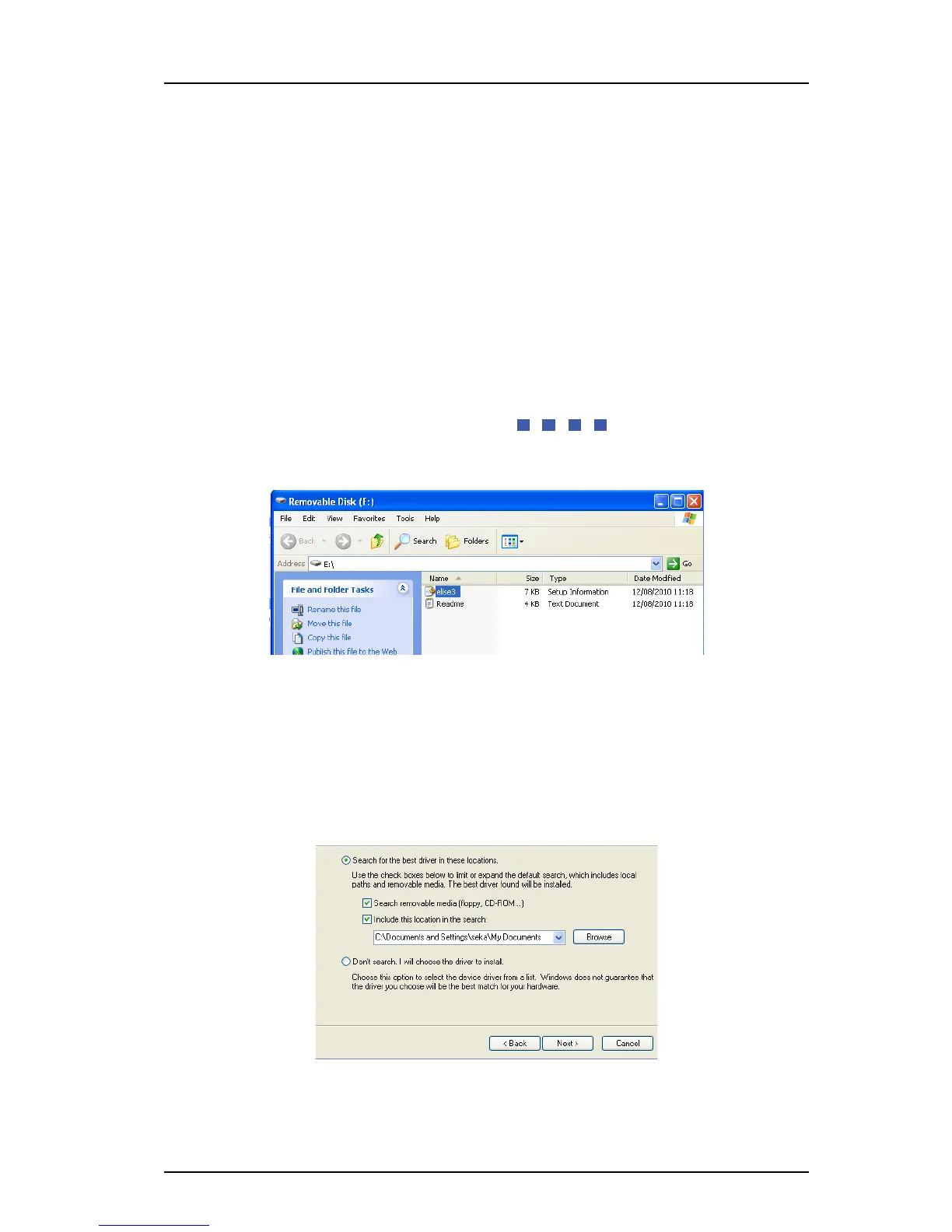
3 Locate the required “elise3.inf” driver and save it on your computer.
4 Press the Mode button twice again to change the mode to network access.
The Found new hardware.... dialog window opens.
5 Select “No, not this tim
e” and click “Next”.
6 Select “Install from a list or specific lo
cation (Advanced)” and click “Next”.
7 Select “Search for the best driver
in these locations”.
8 Select the “Include this location in the search:” check
box.
9 Browse to the folder where the port driver is saved.
10 Click “Next”. The installation of the port driver begins. If a message opens, saying the
software has not passed Windows Logo testing, click “Continue Anyway”.
11 Click “Finish”.



 To Next Page