ASG, Division of Jergens, Inc.
15700 S. Waterloo Road | Cleveland, OH 44110-3898 | Phone: (888) 486-6163 | Fax: (216) 481-4519 | Email: asginfo@asg-jergens.com | www.asg-jergens.com
Page 13 of 23
Main Menu (Continued)
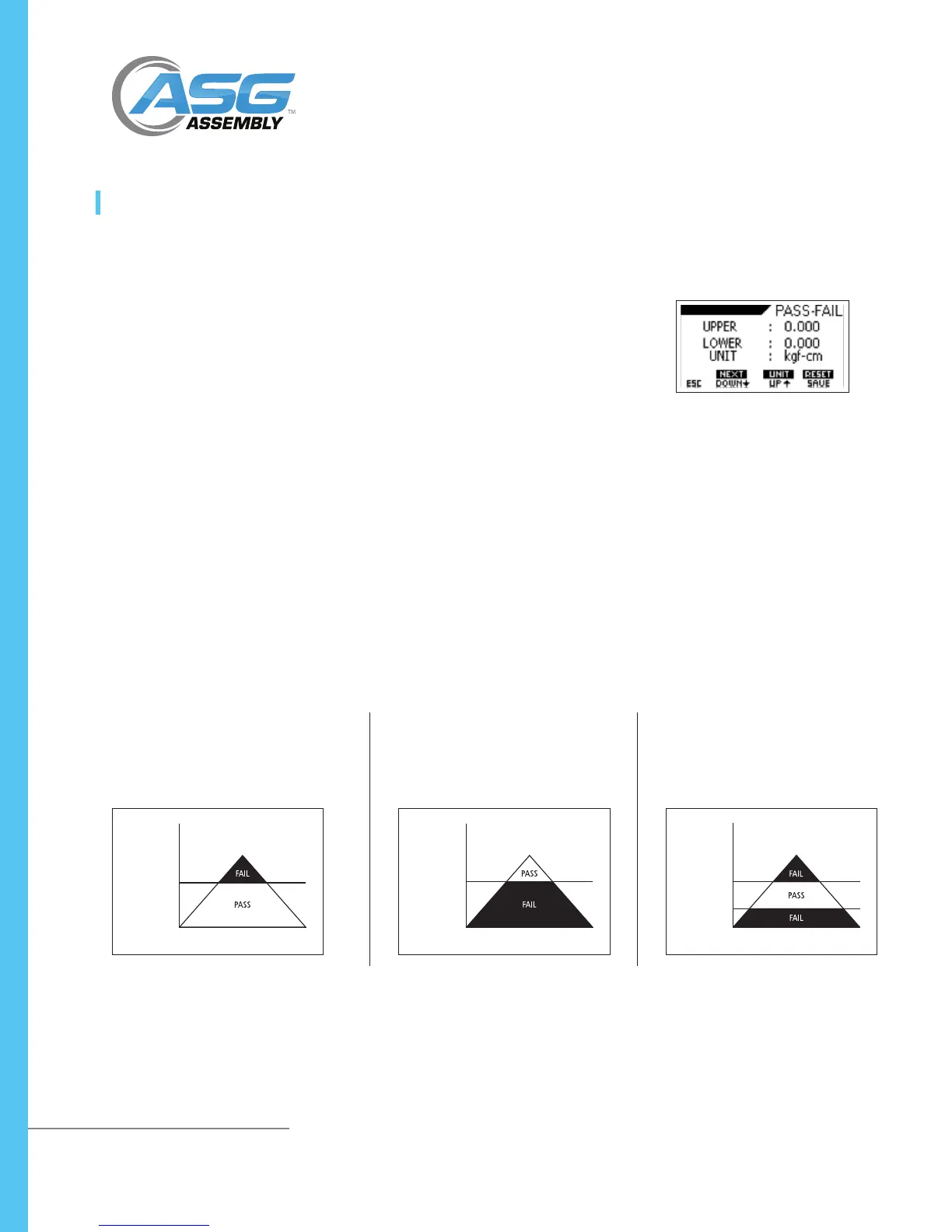
The Pass-Fail feature is used to set a dened acceptable maximum and minimum
torque range for measuring. It is activated by setting the lower level and upper
level torque limit. As long as the torque value is within this range, the display will
show a PASS message. Any reading values outside this range (higher or lower), the
display will show a FAIL message. If this feature is activated, the PF symbol will
display on the main display.
• To access the Pass-Fail menu, press and hold the MENU key to access the main
menu. Use the UP or DOWN arrow keys to move the cursor to SETTING and
press ENTER. Use the UP or DOWN arrow keys to move the cursor to PASS-FAIL
and press ENTER.
• Press and hold the DOWN arrow key to toggle between the upper and lower
limits. Press and hold the UP arrow key to change units. Press the UP and
DOWN keys to change the numerics. Press and hold the SAVE key to reset
value to 0 to select a new value. Press ESC key to return to the setting menu.
• To reset, press and hold the RESET button
NOTE: Pass-Fail feature will be automatically disabled if you set LOWER LEVEL and
UPPER LEVEL = 0.000
NOTE: Lower level must be less than the upper level
Pass-Fail
DTT Series Digital Torque Testers
User Manual
Example:
Lower Level
Upper Level
= 0 N.m
= 20 N.m
Upper Torque
Level
Lower Torque
Level
Upper Torque
Level
Lower Torque
Level
LOAD LOAD LOAD
TIME TIME TIME
Example:
Lower Level
Upper Level
= 20 N.m
= 0 N.m
Example:
Lower Level
Upper Level
= 10 N.m
= 20 N.m



 To Next Page