ASG, Division of Jergens, Inc.
15700 S. Waterloo Road | Cleveland, OH 44110-3898 | Phone: (888) 486-6163 | Fax: (216) 481-4519 | Email: asginfo@asg-jergens.com | www.asg-jergens.com
Page 22 of 23
Software
Retrieving Information from the DTT
DTT Series Digital Torque Testers
User Manual
1. Plug the USB cable into the DTT meter and the PC
2. Turn on the DTT meter
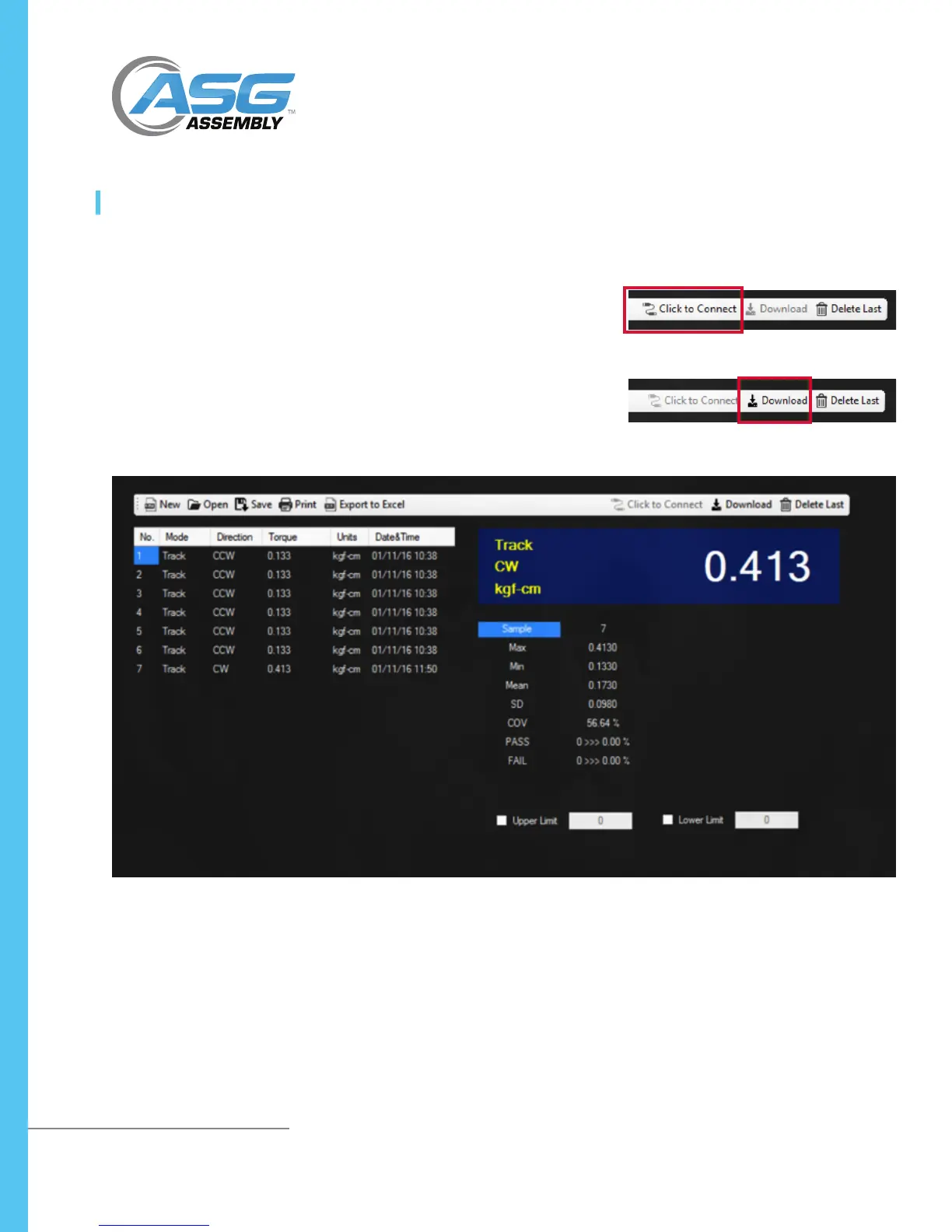
3. On the menu bar in Torque Link 2.4, select “Click to Connect”. TorqueLink
will automatically nd and connect the with DTT meter.
4. When the connection is complete, the “Download” button appears. Press the
“Download” button to download the data in the DTT meters memory.
5. All information is downloaded into a table. Data is analyzed automatically.



 To Next Page