55
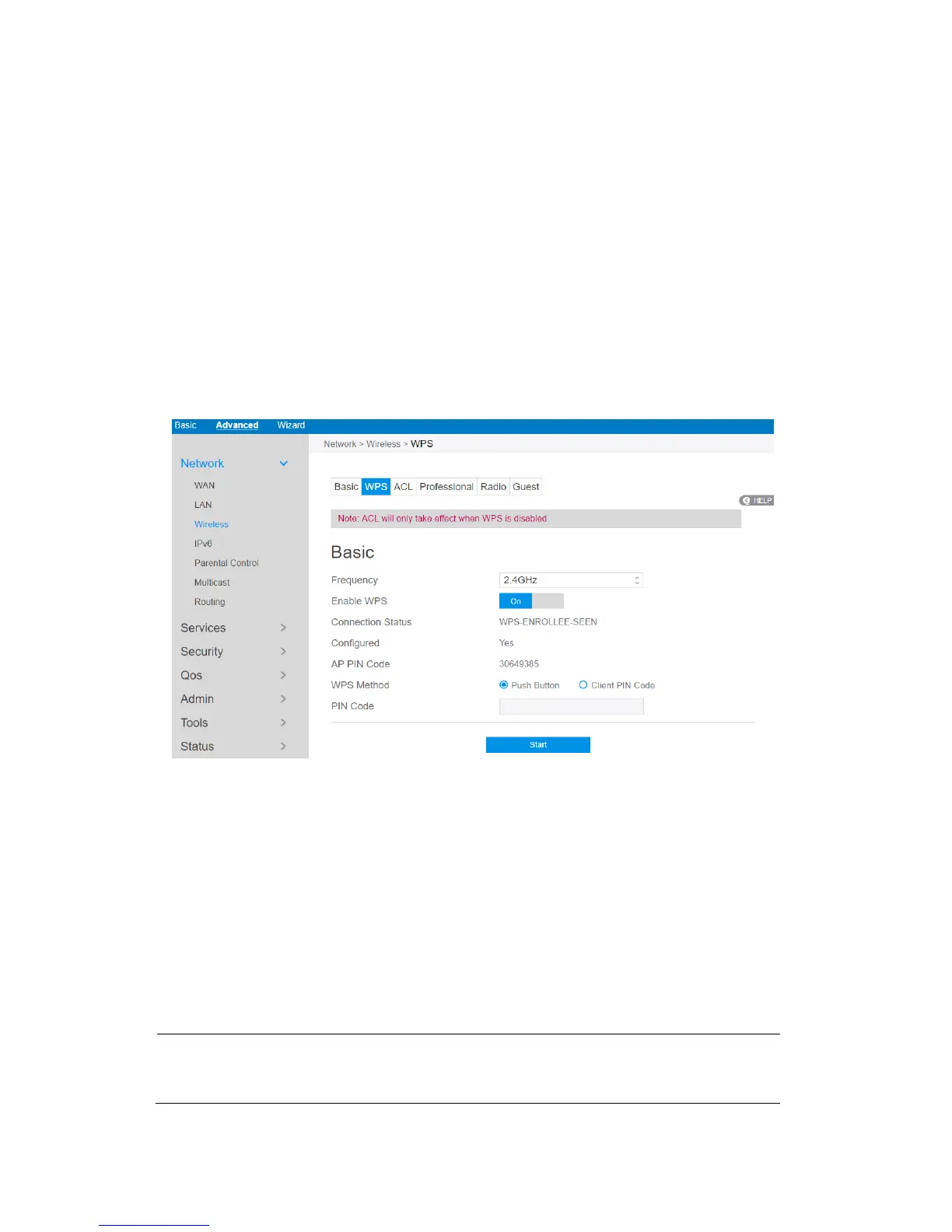
2.4.1.3.2 WPS
WPS (Wi-Fi Protected Setup) is a wireless security standard that allows you to easily
connect devices to a wireless network. You can configure the WPS function via the
PIN code or WPS button. WPS supports the authentication of Open system,
WPA-Personal and WPA2-Personal. Not supported: Shared Key, WPA-Enterprise,
WPA2-Enterprise and RADIUS.
Steps to set WPS:
1. From the navigation panel, go to Advanced > Network > Wireless > WPS.
2. Frequency: Select an operating band (2.4 GHz or 5 GHz) for WPS. To change
the operating band, please disable the WPS function first.
3. Enable WPS: Selecting [On] to enable WPS. This can simplify the process of
connecting any device to the wireless network.
NOTE: WPS supports authentication using Open System, WPA-Personal, and
WPA2 - Personal. WPS does not support a wireless network that uses a Shared Key,



 To Next Page