72
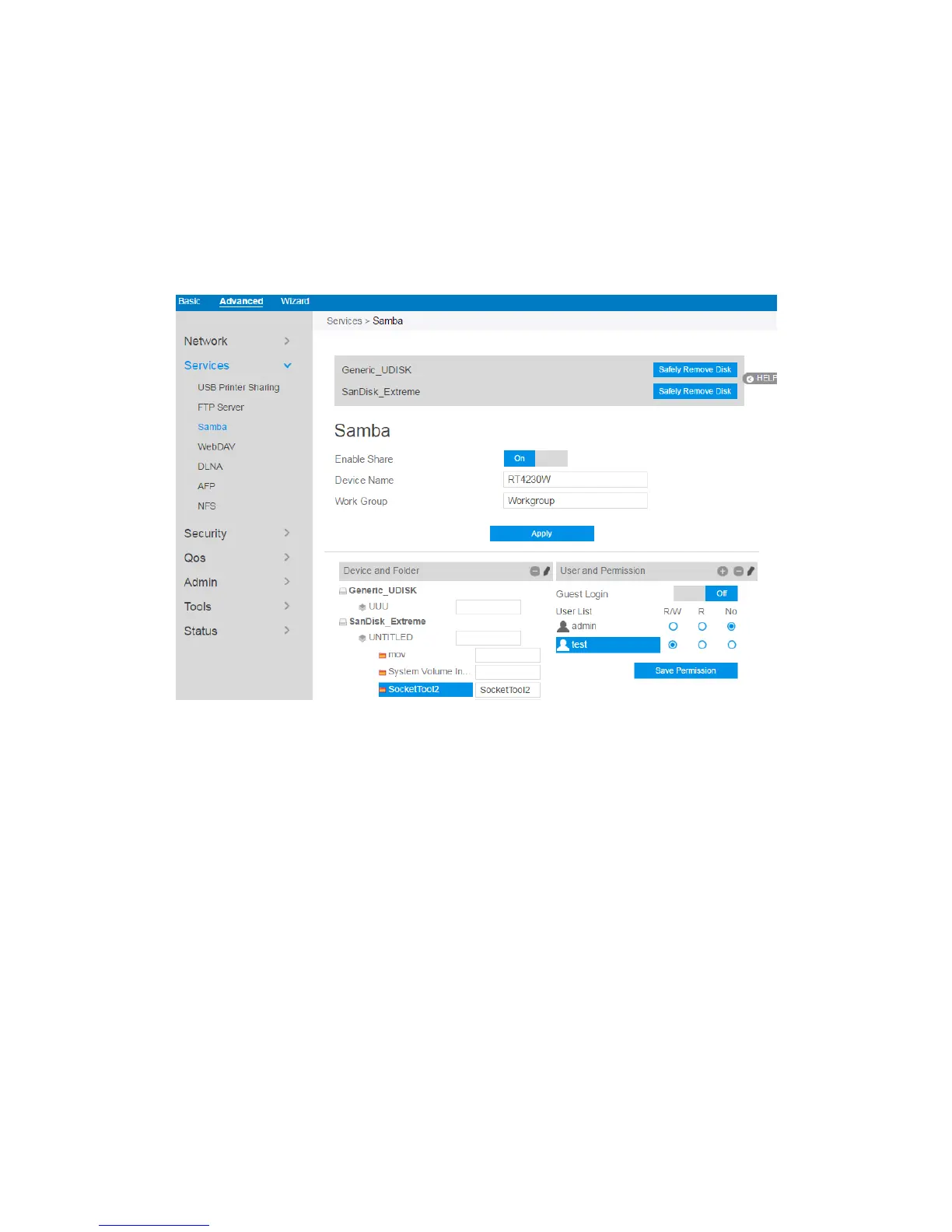
2.4.2.3 Samba
Samba Share allows you to set up the accounts and permissions for the Samba
service.
To set up Samba:
1. From the navigation panel, go to Advanced > Services > Samba Server.
2. Connect an external USB hard disk drive or USB flash drive to the router,
and your device will be displayed here.
3. Click On/Off to enable/disable Internet access to Samba service.
To create a new account:
1. Add new account.
2. In the Account and Password fields, key in the name and password of your
network client. Retype the password to confirm. Click Add to add the
account to the list.
To add a folder:



 To Next Page