88
router. Check No to deny IGMP packages.
6. Click Apply.
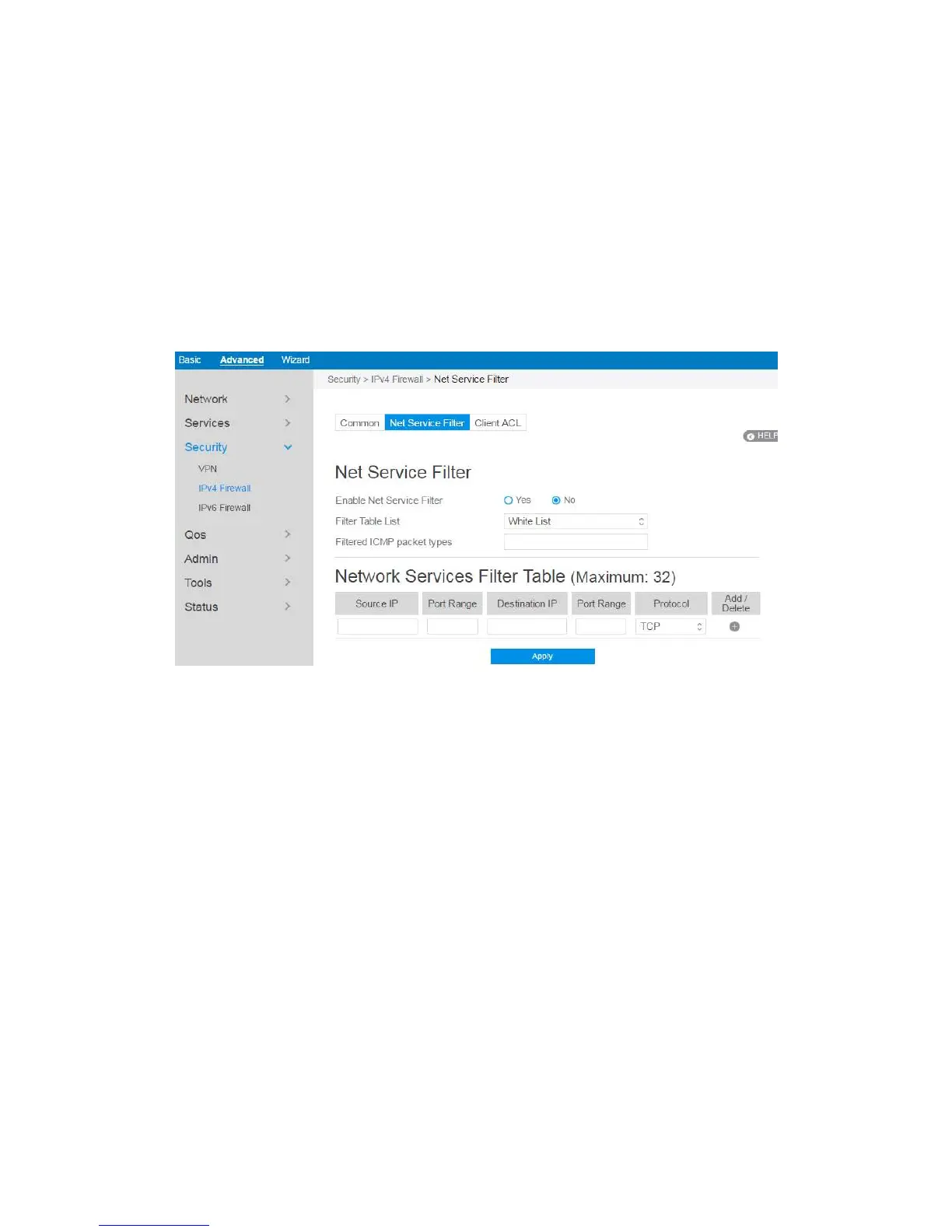
2.4.3.2.2 Net Service Filter
Under the help of this module, administrator can set black list to block certain
services, or set white list to let some services to pass through the router.
Steps to set Net Service Filter 愪
1. From the navigation panel, go to Advanced> Security> IPv4 Firewall> Net
Service Filter.
2. Enable Net Service Filter: Enable or disable this module.
3. Filter Table List: There are two kinds of filter list: White List, Black List. White
List can make router serve the specified service defined in the list, Black List
make router deny serving the specified service.
4. Filtered ICMP packet types: This field defines a list of LAN to WAN ICMP
packets type that will be filtered. For example, if you would like to filter Echo
(type 8) and Echo Reply (type 0) ICMP packets, you need to enter a string with
numbers separated by blank, such as [0 8].
5. Source IP: For source or destination IP address, you can: (a) enter a specific IP



 To Next Page