Need help?
Do you have a question about the Astak IP-700 and is the answer not in the manual?
Lists the components included in the camera package.
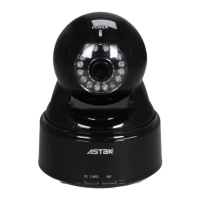
Details the main components and indicators of the ASTAK network camera.
Outlines recommended applications for the network camera.
States compliance with FCC and CE standards for the product.
Lists critical warnings regarding privacy, medical equipment, and illegal usage.
Provides essential guidelines for maintaining and caring for the network camera.
Guides users through the initial physical connection and power-up sequence.
Explains how to register the camera using the Yoics service for auto-configuration.
Provides instructions for setting up the ASTAK camera for wireless network connectivity.
Guides users on how to log in to the camera interface using default credentials.
Details searching for, selecting, and configuring wireless network settings.
Describes viewing the camera via Internet Explorer, including software installation.
Explains using the Yoics desktop software as an alternative to web access.
Guides accessing the camera via its local IP address using CamSearcher.
Clarifies local IP access limitations and directs users to Chapter 4 for remote access.
Overview of the Home tab interface and basic camera controls.
Configures screen resolution and accesses the SD card for recorded media.
Allows taking still images and recording video streams from the camera.
Reviews recorded footage and controls camera pan/tilt movements.
Manages two-way audio functionality and listening to microphones.
Adjusts brightness, saturation, contrast, hue, flip, mirror, night vision, and white balance.
Configures video resolution, bit rate, frame rate, and name/timestamp.
Configures IP settings, DNS, wireless mode, and security for network connectivity.
Enables and configures remote access features like Yoics, Dynamic DNS, and UPnP.
Manages user accounts and configures email notifications for events.
Defines actions for alarms and sets schedules for alarm activation.
Sets up motion detection windows and sensitivity levels for alerts.
Configures FTP server for storing recordings and automatic picture taking.
Configures the camera's date and time manually or via network synchronization.
Provides options for reboot, reset, backup, restore, and firmware upgrade.
Displays technical details and status of the camera, including IP and MAC addresses.
 General
| Image Sensor | 1/4" CMOS |
|---|---|
| Resolution | 640x480 (VGA) |
| Frame Rate | 30 fps |
| Connectivity | Ethernet |
| Protocols | TCP/IP, HTTP, SMTP, FTP, DHCP, DNS, DDNS, PPPoE, UPnP |
| Night Vision | Yes (IR LEDs) |
| Pan/Tilt | No |
| Day/Night | Yes |
| Video Compression | MJPEG |
| Power Supply | DC 5V |
| Operating Temperature | 0°C to 50°C |

 To Next Page