Save picture on the SD card: Click this box if you want a picture to be saved on the SD
card when a movement is detected. Note: You must first insert a SD card into the
camera for this to occur.
Save video on the SD card: Click this box if you want a video to be saved on the SD
card when a movement is detected. Note: You must first insert a SD card into the
camera for this to occur.
*Please click Apply to save your changes.*
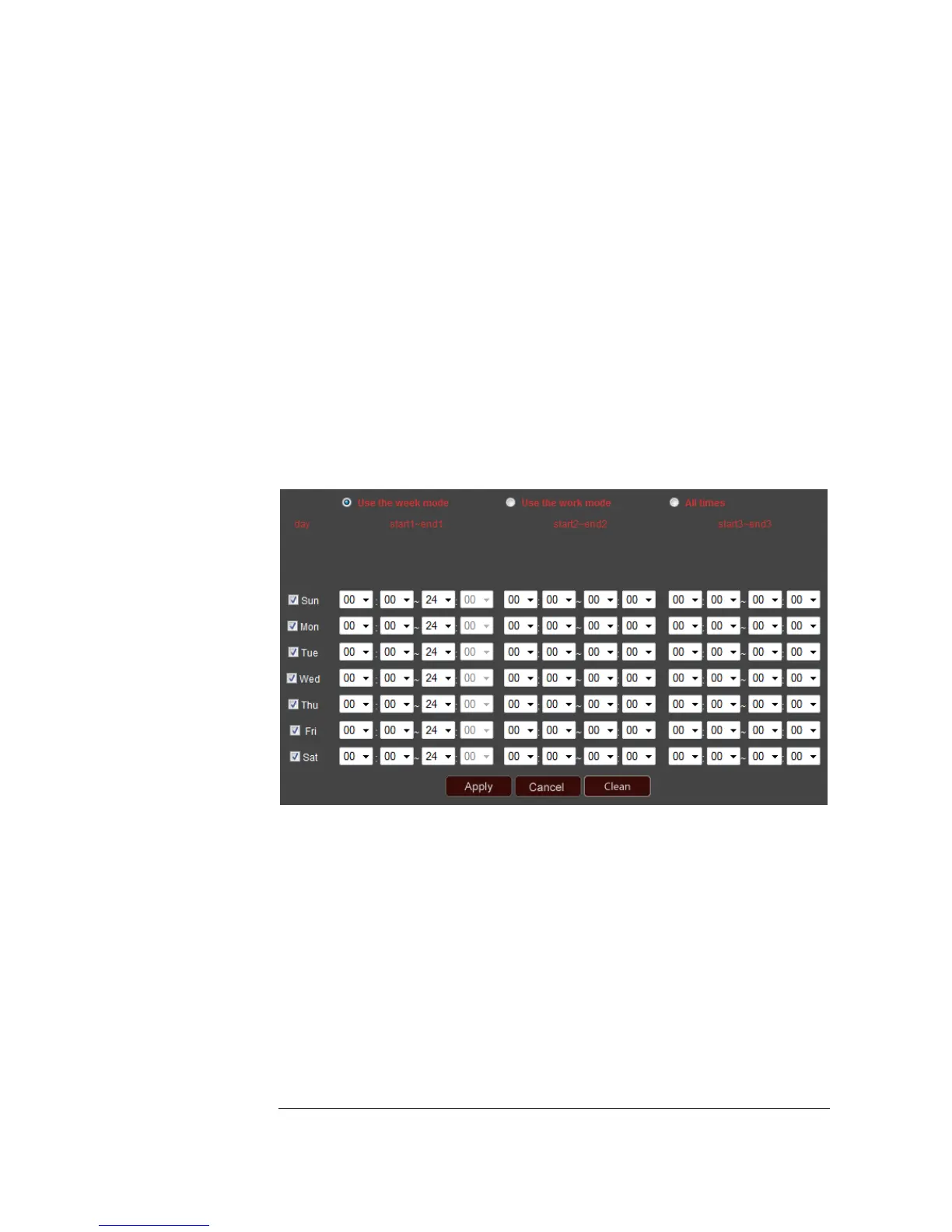
Schedule
This section allows you to specify what times of the day or night you want your
camera’s alarm function to be turned on.
Use the week mode: This mode gives you the greatest amount of control. You can
specify up to three different sections of time for each day of the week when you want
to activate the alarm function.
Use the work mode: In this mode, you can specify up to three different sections of
time from Monday through Friday when you want to activate the alarm function. You
can then choose up to three sections of time on the weekends when you want to
activate the alarm function.


 To Next Page