Logging in to your camera
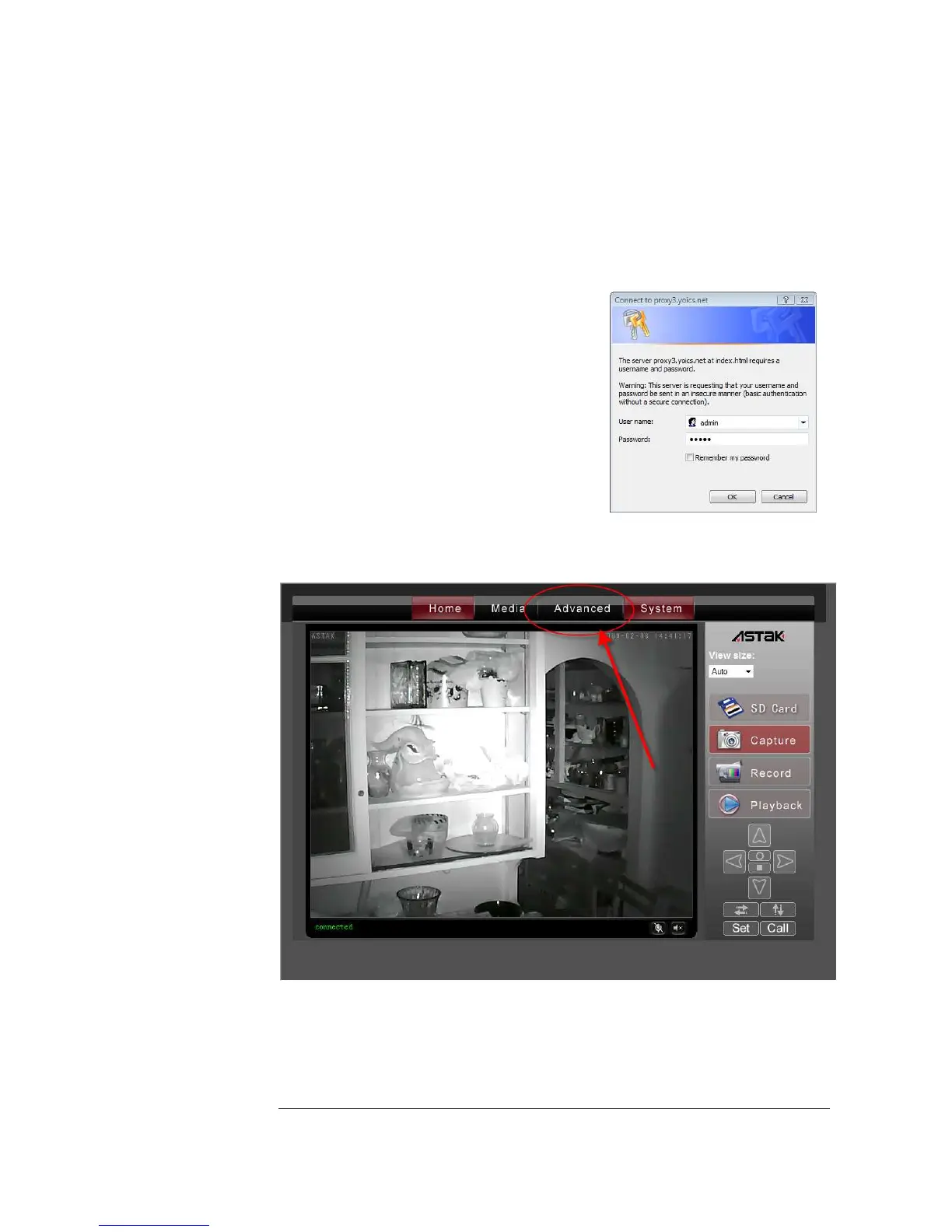
Clicking on the name will bring up your camera.
Since this is the first time that you’re accessing
your camera, you will get a login screen. The
default values are:
User name: admin
Password: admin
Once your camera interface comes up, select the Advanced tab.


 To Next Page