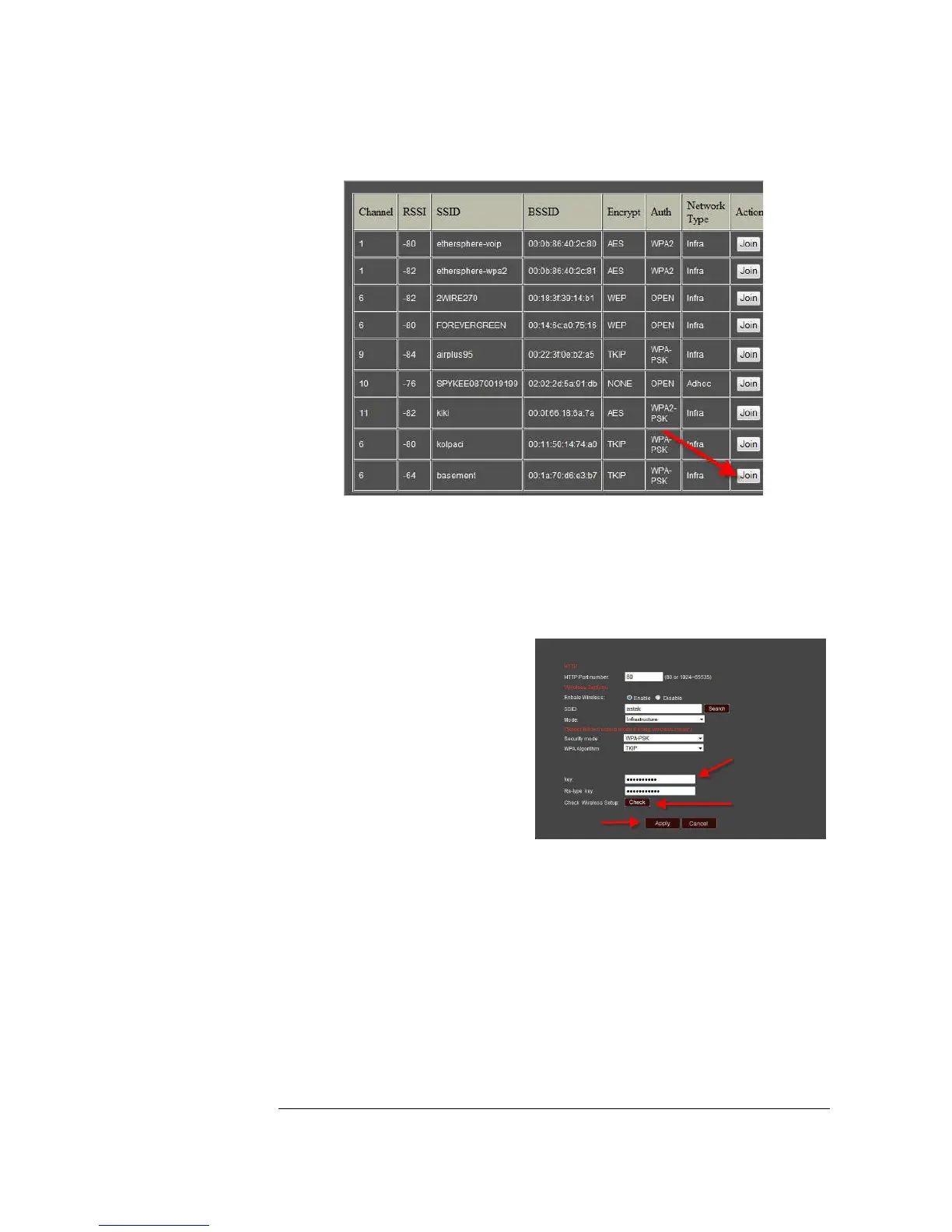
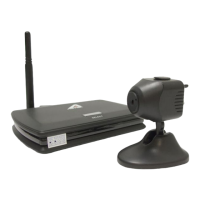
Selecting the network will automatically populate the necessary settings for your
configuration. Simply enter your pass-key (the password for your wireless network)
and select Apply.
Note: It is recommended that
you verify your wireless connection
settings are correct. You can do
this by selecting the Check button.
Once you’ve completed the above steps, simply unplug the Ethernet (network) cable
and reboot (unplug and re-plug the power connector to) your camera, then your
wireless network will connect.
Once the network has connected, the LED on the front of the camera will turn blue to
let you know that it has connected successfully.


 To Next Page