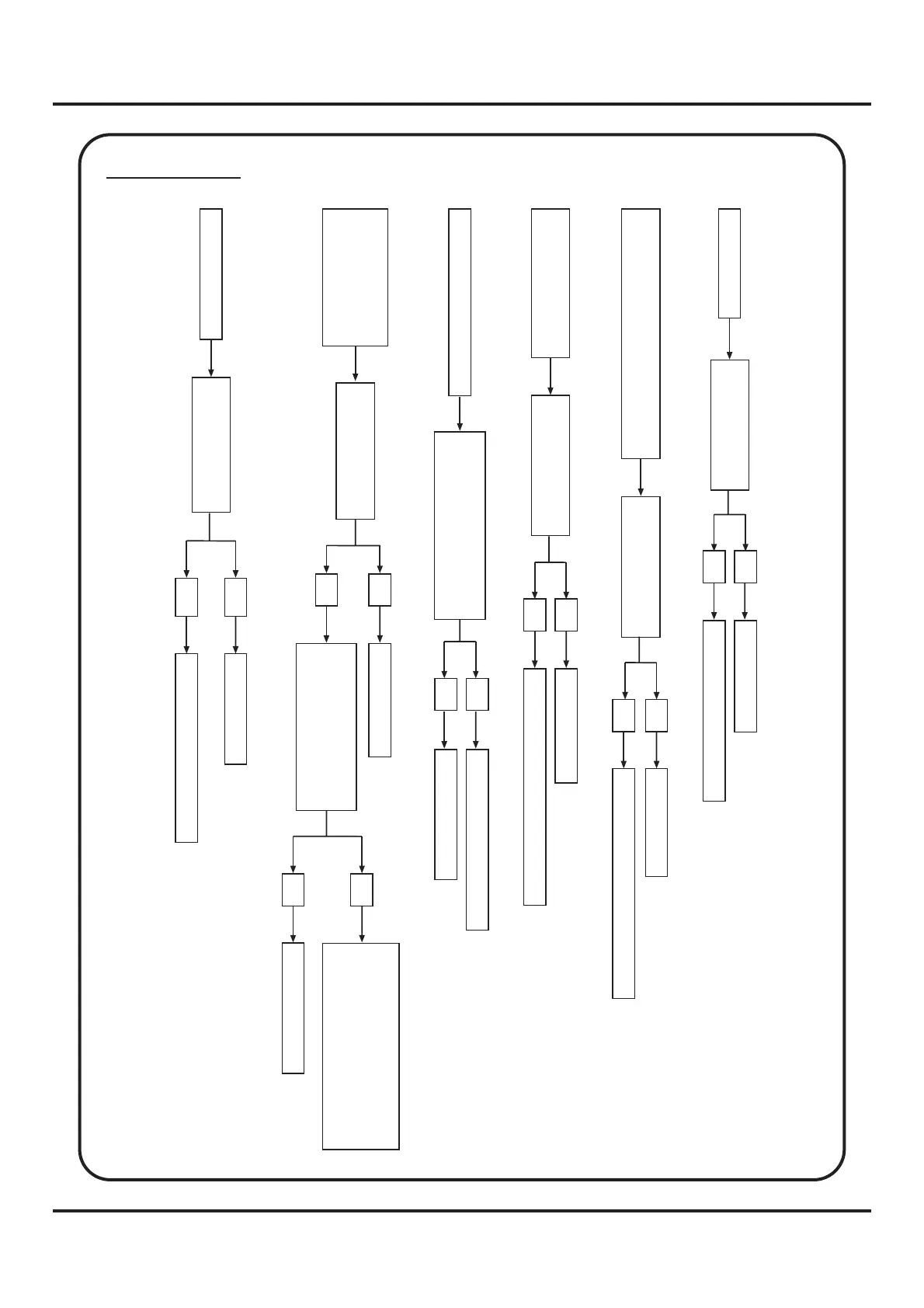
7. Trouble shooting of electrical parts
34
Model 9300A2
LCD no display
Check if Bus (JP2)
has loosened
No
Yes
Be sure plug-in
Replace LCD or PC Board
Needle up-down, Reverse & Autolock
no operation
Check if Cable (J15)
has loosened
No
Yes
Be sure plug-in
Replace Handy board or PC Board
Speed adjustment no
operation
Check if Cable (J10)
has loosened
No
Yes
Be sure plug-in
Replace Slide resistor or PC Board
Motor no operation
Replace Motor or PC Board
Check if Cable (J8)
has loosened
Yes
Be sure plug-in
No
Foot controller no operation
Check if J7 and plug/outlet
(at power sw box) are poor
connections.
No
Yes
Replace outlet of controller
Replace PC Board
The bobbin winder
spindle is in "off"
position, but LCD
shows its available
Check if there is a poor
connection between
bobbin winder sets and
micro-switch
No
Yes
Replace PC Board
Check if Cable (J14)
has loosened
Yes
Be sure plug-in
No
Loosen two screws of micro-
switch to make good
connection between bobbin
winder sets and micro-switch,
then lock these screws back


 To Next Page