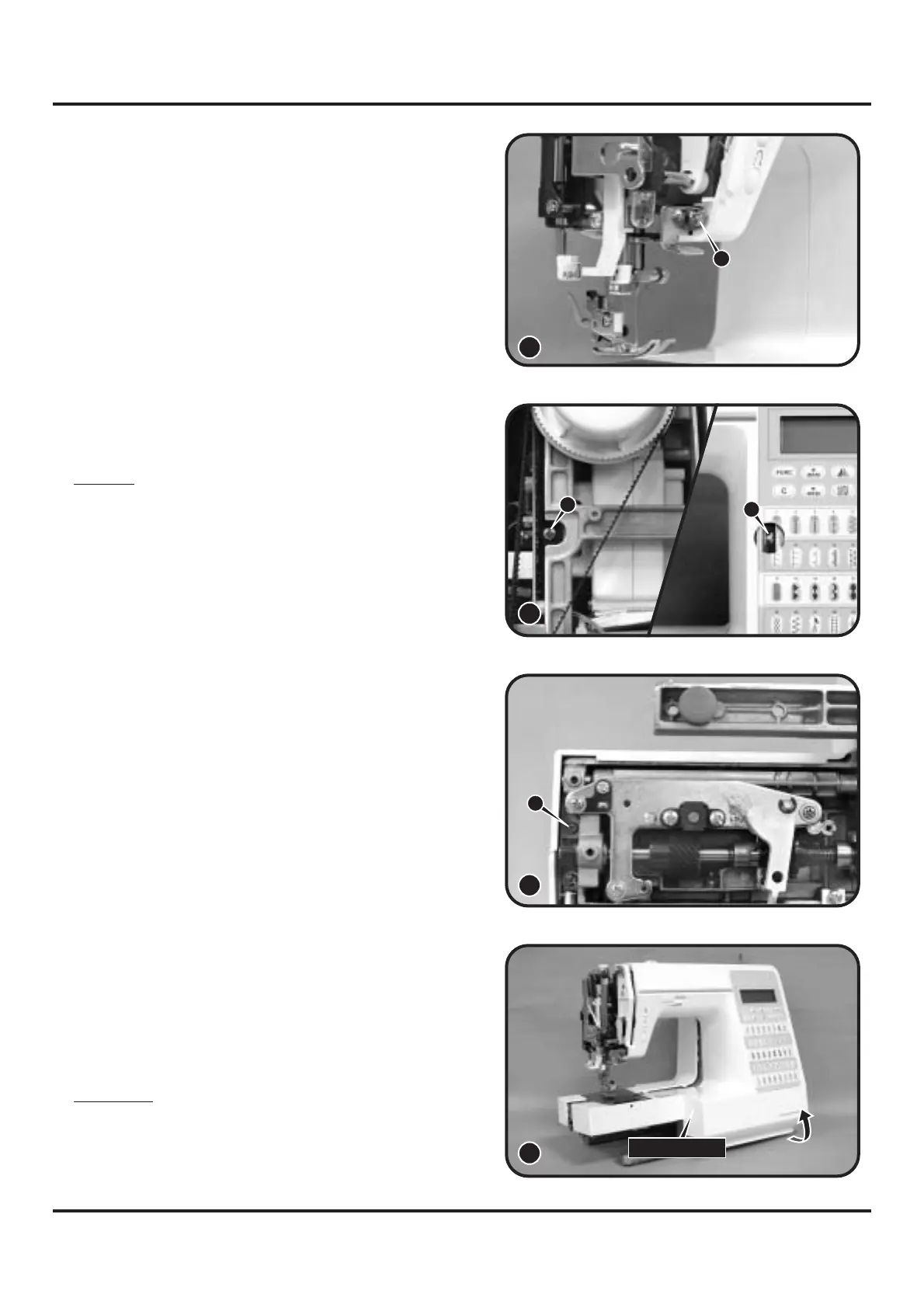
- Remove front cover following direction of
arrow. (12)
Attention:
Be sure to remove the front cover carefully,
because the leader wire and the body are
connected together.
Front cover
- Loosen screw (s) about 3mm. (10)
First using electric torch (flash light) etc to
locate screw (s) position which deeply inside
the machine.
Note 1:
s
10
9
r
- Loosen screw (r) about 3mm. (9)
8
- Remove screw (t). (11)
s
t
11
12


 To Next Page