PLG12863E AFI4700 Pilot’s Guide 52
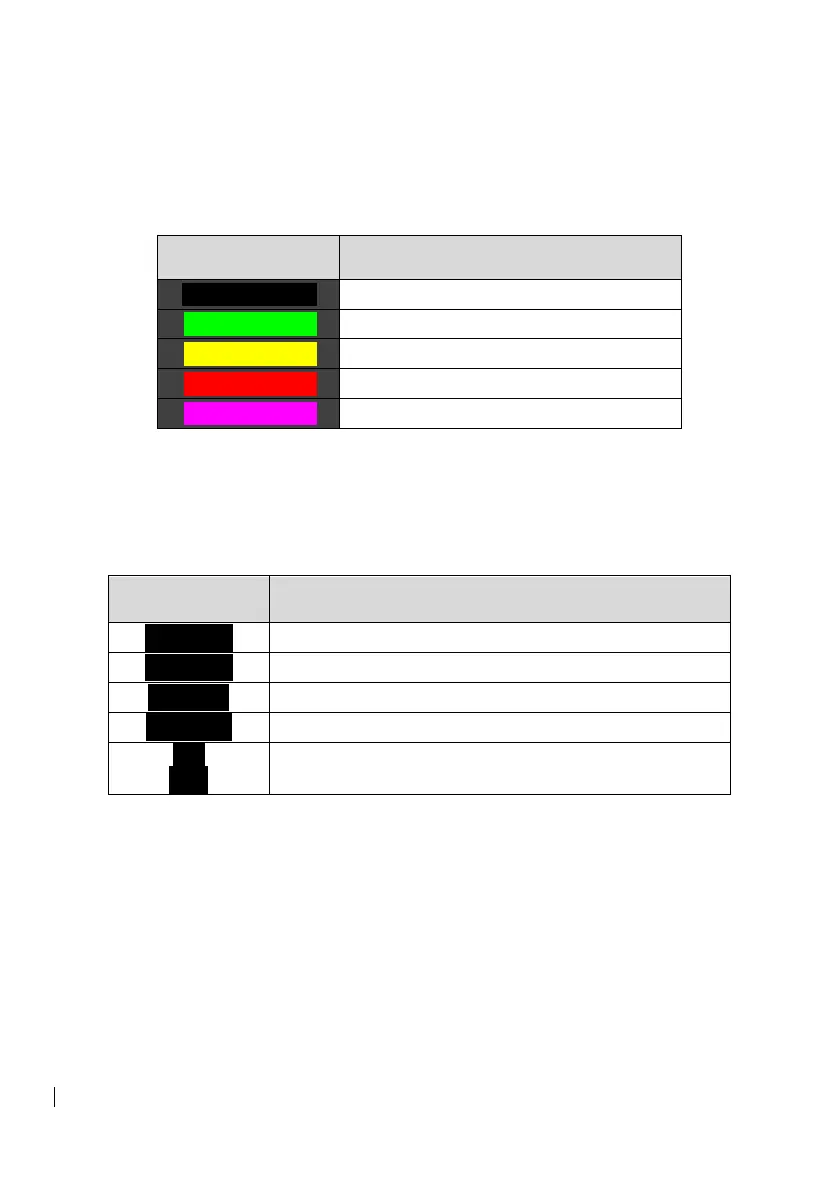
3.3.2.1 Weather Radar Patterns
The weather radar signal returns are displayed on the HSI overlay
according to intensity.
Table 3-4: Weather Radar Patterns
3.3.2.2 Weather Radar Mode Annunciation
The EFI communicates with the control panel and the weather radar
unit at the same time to ensure the selections
Table 3-5: Weather Radar Mode Annunciations
Weather radar indicates it is in standby mode
The weather radar indicates a target alert
The weather radar indicates it is in map mode
Weather radar is displaying in test mode
Weather radar unit is angled down at 15°
A yellow track line and cyan sweep line extend forward from the
aircraft position to indicate track and sweep of the weather radar unit.
During normal operation, the sweep line will slowly sweep back and
forth.
3.3.2.3 Weather Radar Vertical Mode
The Weather Radar overlay can also be displayed in a vertical profile
mode. To enter this display mode, enable the Weather Radar overlay
then use the MENU bezel button to open the system menu and
navigate to the DISP tab. Press VP using the center bezel button.


 To Next Page