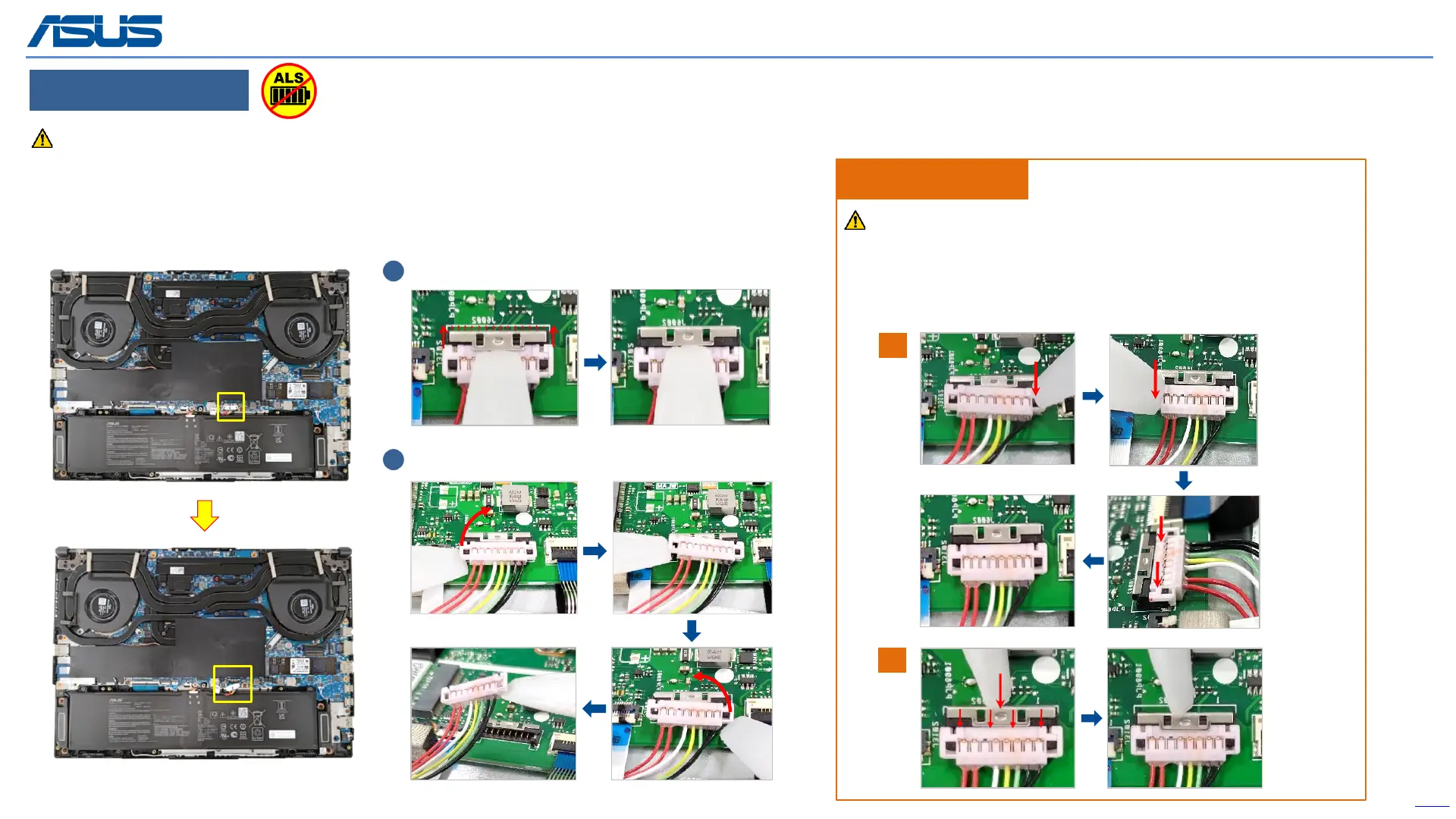
Before disassembly battery connector, please be sure to pull out adapter and disconnect the battery more than ten seconds in order to IC damage.
DISCONNECT BATTERY CONNECTOR
Back
12
Disassembly Notice
1
2
Please disconnect the red cable side first!
Assembly Notice
To prevent getting a short circuit or an electric shock accident,
please follow the below steps to connect the battery connector.
1
2
Step 1 : Use the non-conductive pry tool to connect the black
cable side first, then connect the red cable side.
Step 2 : Use the non-conductive pry tool to push the iron sheet.
Step 1 : Use the non-conductive pry tool to push iron sheet.
Step 2 : Use the non-conductive pry tool to disconnect battery connector.
Note : Please disconnect the red cable side first.
(The following is an operation example)
The device has an Ambient Light Sensor (ALS) for power-off protection Function.



 To Next Page