LCD PANEL
Disassembly Notice
Back
30
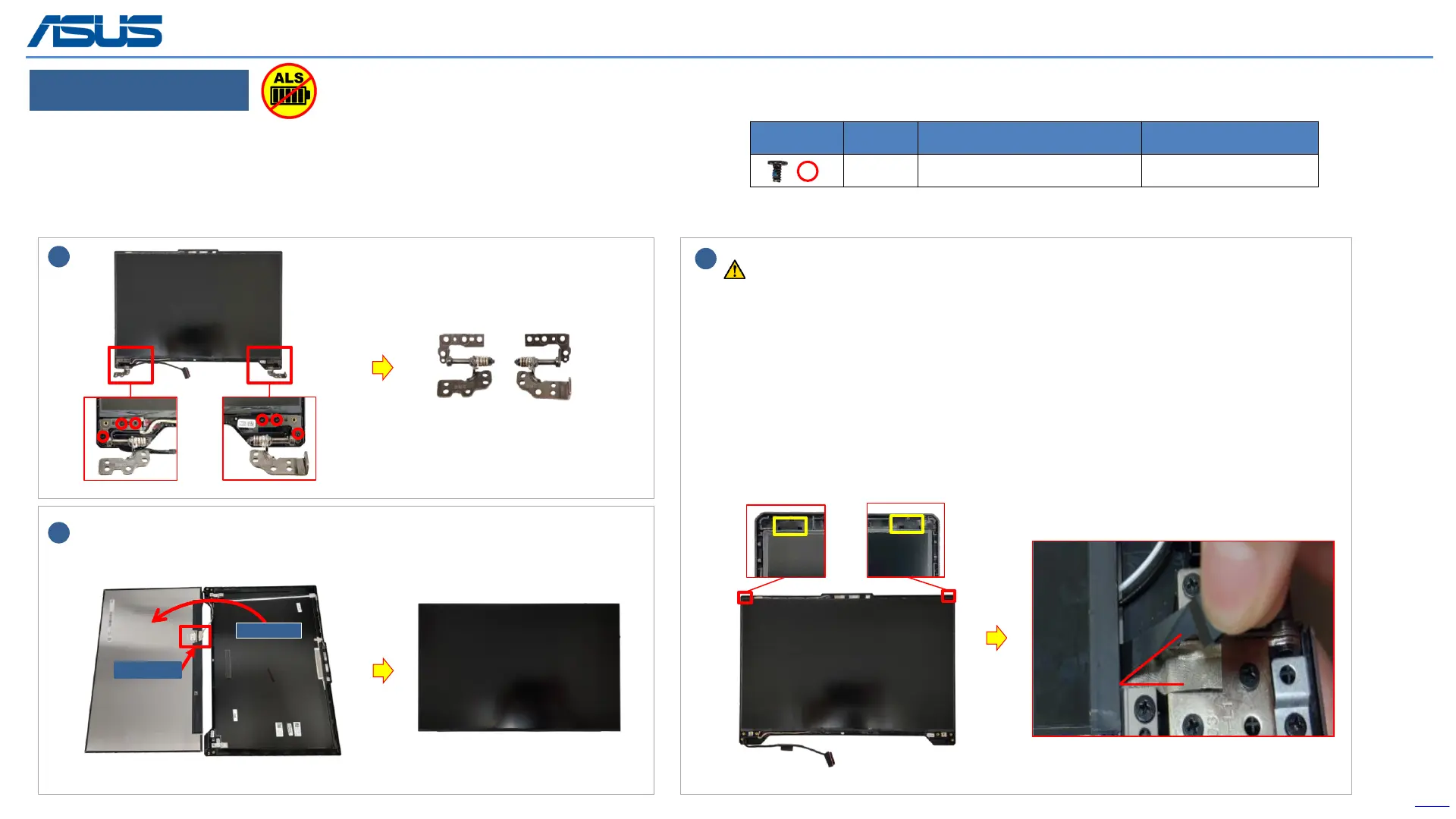
Step 1 : Remove screws*6pcs and hinges*2pcs.
Step 2 : Pull out LCD adhesives*2pcs.
Step 3 : Flip up the panel and disconnect the EDP cable.
Please pull the adhesive up about 30 degree slowly, and don't pull out the tape in
vertical direction!
30
。
2
Screws QTY Spec Torque (kgf-cm)
6 M2.5*3L (4.5,0.4) (K) #1 2.5±0.2
Flip up the panel, and disconnect the EDP cable.
3-1
3-2
1
3
(L)
(R)
The device has an Ambient Light Sensor (ALS) for power-off protection Function.



 To Next Page