DDR
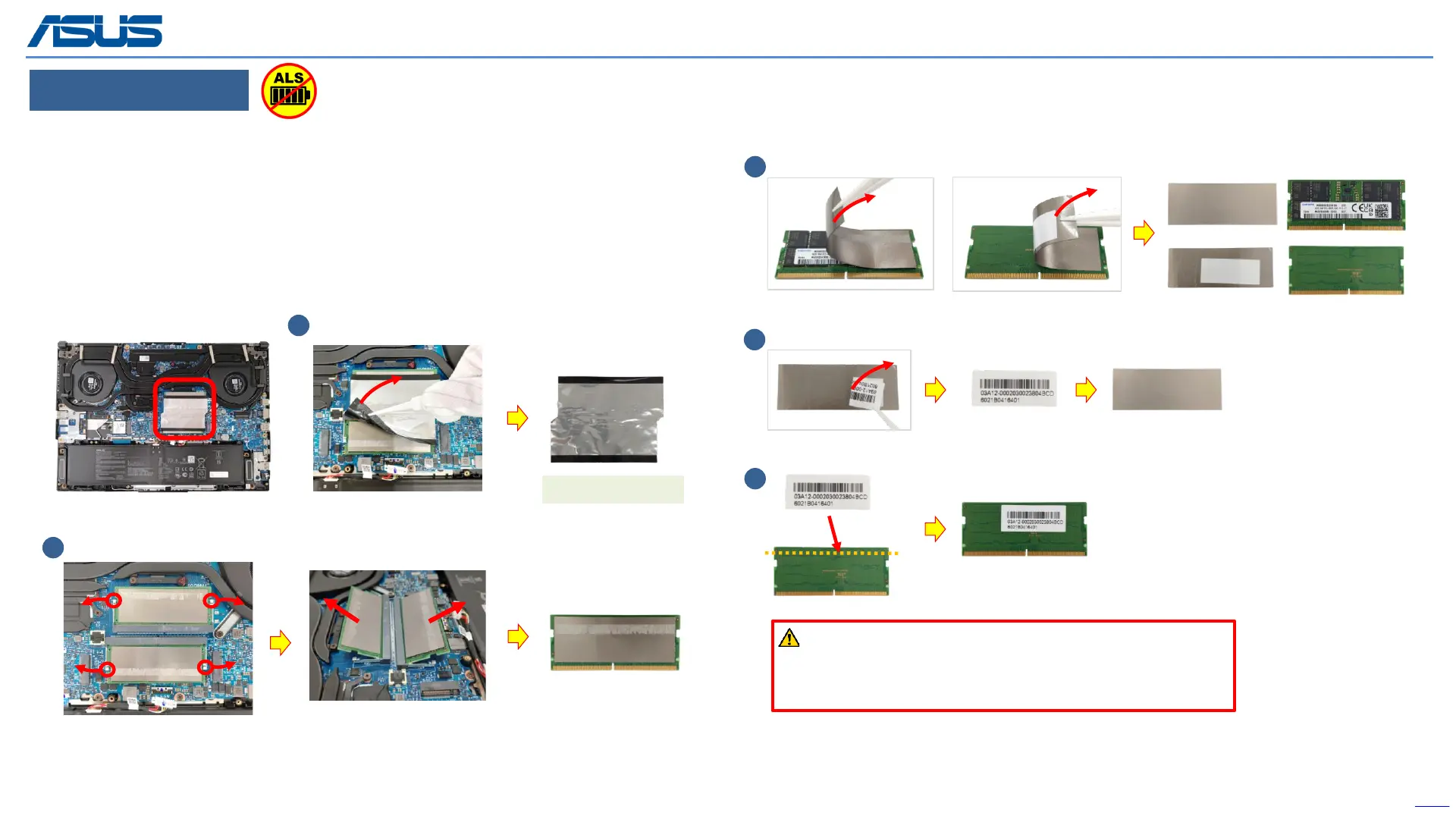
Step 1 : Tear off the DDR AL FOIL MYLAR.
Step 2 : Unlock and remove the RAM module.
Step 3 : Tear off the ABSORBERS from RAM front and back side.
Step 4 : Peel back the DDR LABEL from the ABSORBERS carefully.
Step 5 : Paste the DDR LABEL on DDR.
*Notice : Please keep these parts, it will be reused for new DDR installation.
Back
15
Disassembly Notice
2
(*4pcs)
3
(*2pcs)
1
Tear off
4
5
For Step 4 - 5:
If the DDR label is torn off during the removal of the ABSORBER,
please remember to paste it back on the DDR to avoid the situation
that it cannot be returned to the warehouse.
(*2pcs)
DDR AL FOIL MYLAR
Front side Back side
The device has an Ambient Light Sensor (ALS) for power-off protection Function.



 To Next Page