DDR
Back
16
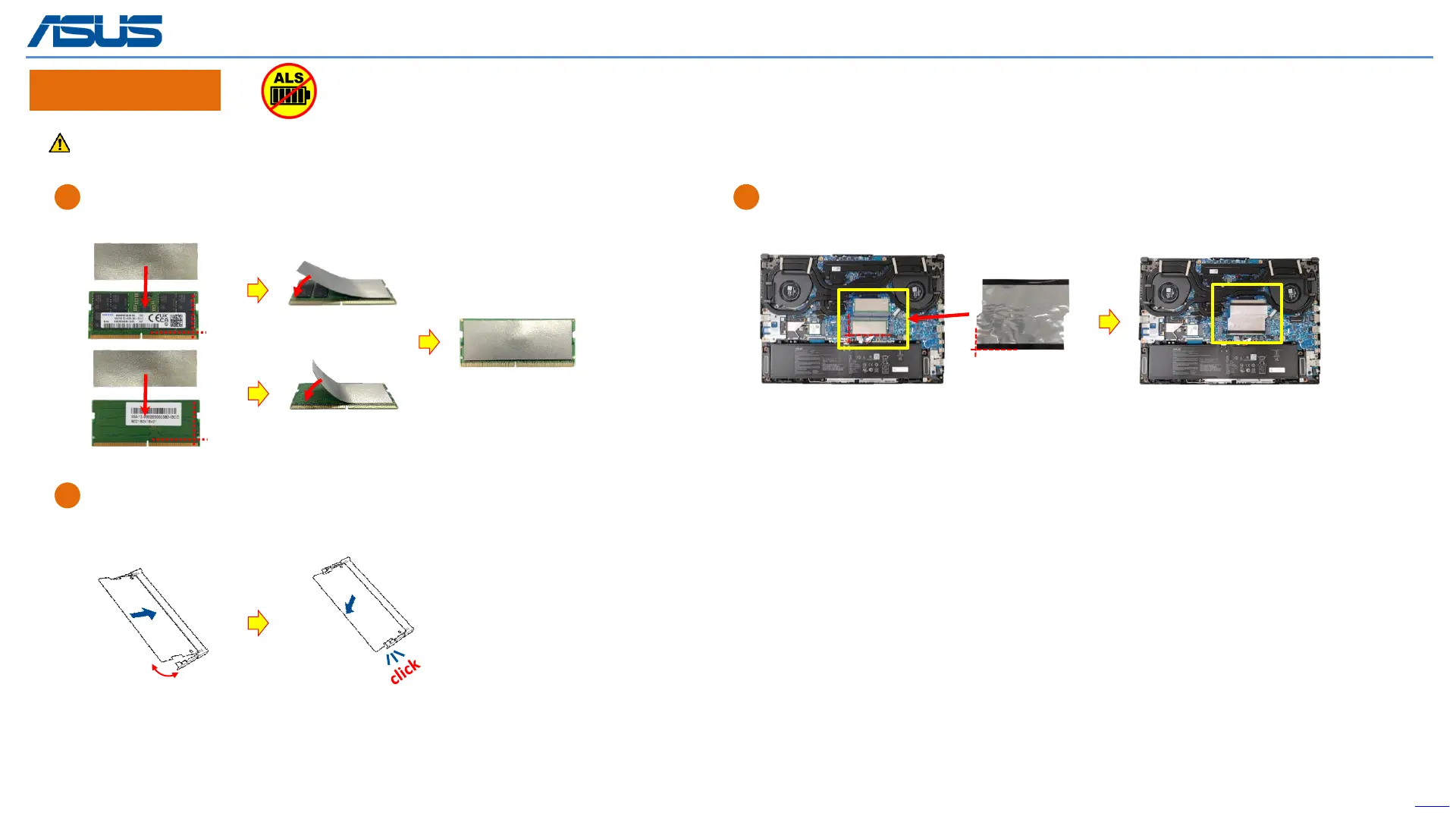
Please paste ABSORBERS on the front and back sides of RAM before installing the Memory Module.
30°
Assembly Notice
C
After installing the DDR, please paste the MYLAR on below location. (yellow mark)
A
Paste the two ABSORBERS on the new RAM front and back side.
B
Align and insert the new RAM module at 30° into the memory slot.
Once properly inserted, push down the RAM module until it clicks in place.
The device has an Ambient Light Sensor (ALS) for power-off protection Function.



 To Next Page