4 M2.5*5L (K) B-ZN NY #1 2.5±0.2
3 M2*2L (6.2,0.55) (K) #1 2.0 ± 0.2
Open and remove
1
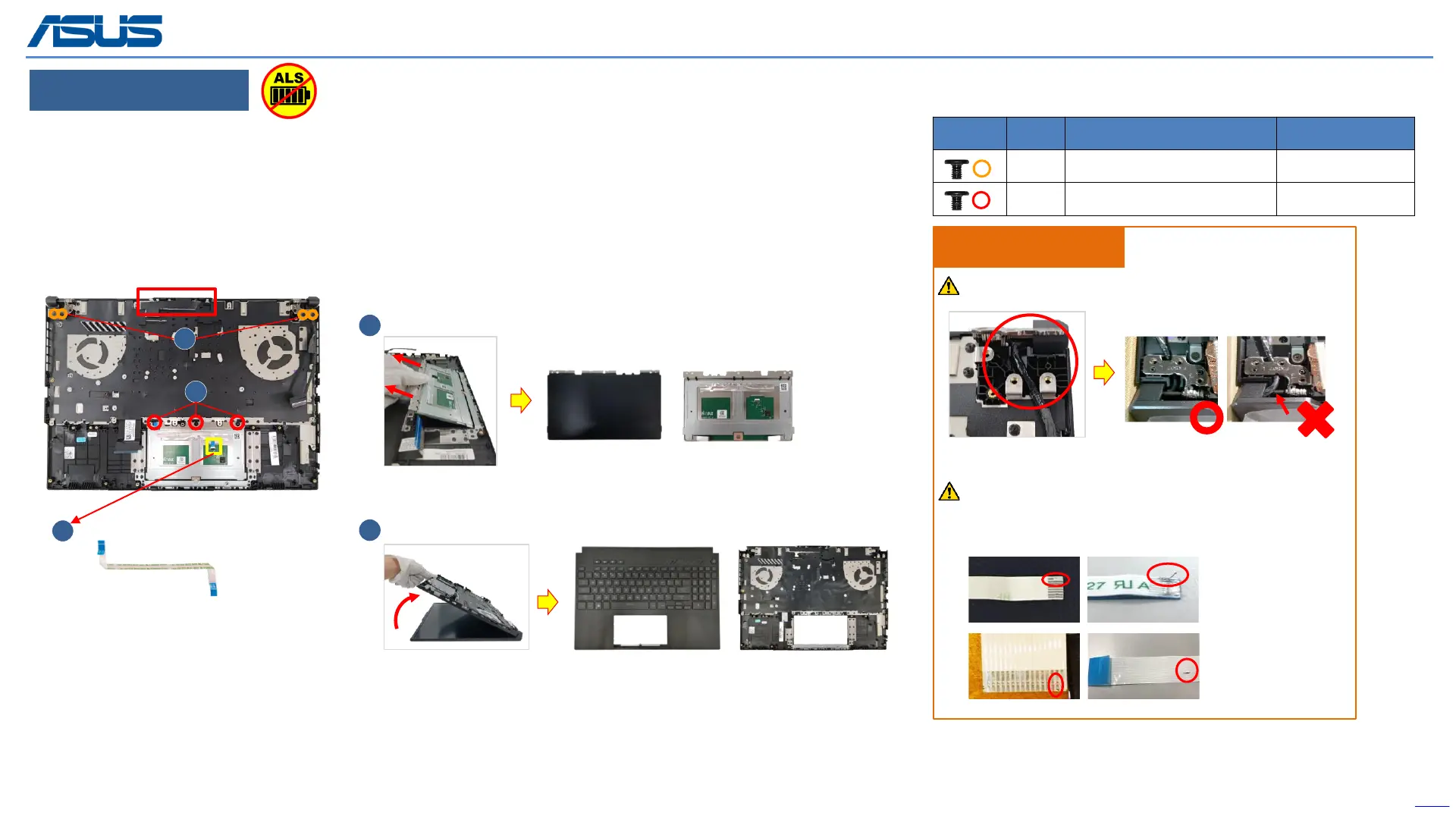
Step 1 : Disconnect the (yellow mark) TP FFC.
Step 2 : Remove screws*3pcs.
Step 3 : Remove the touchpad module.
Step 4 : Remove (orange mark) screws*4pcs.
Step 5 : Lift up and separate the Keyboard module.
3
5
4
2
Please refer below picture to organize EDP cable.
If FFC is damage during disassembly, please
replace new one. Here are some samples of FFC
damage:
Assembly Notice
EDP Cable goes under the hinge and shaft
The device has an Ambient Light Sensor (ALS) for power-off protection Function.



 To Next Page