BATTERY
Back
17
Disassembly Notice
Screws QTY Spec Torque (kgf-cm)
3 SCREW M2*4L (5,0.8) (K) #1 2.0
±
0.2
2
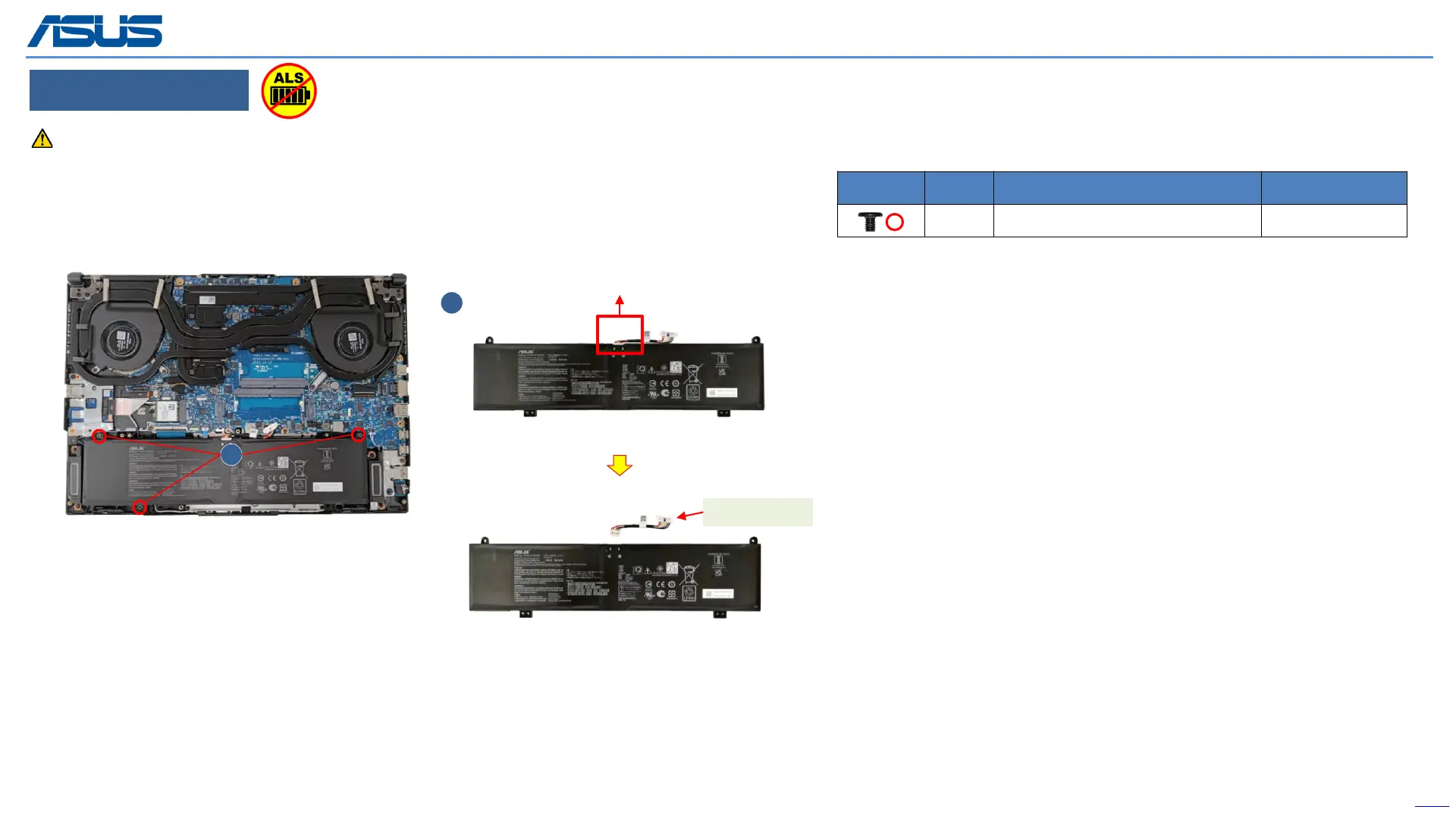
Step 1 : Remove the (red mark) screws*3pcs.
Step 2 : Take out Battery then remove the Battery cable.
Before disassembly battery connector, please be sure to pull out adapter and disconnect the battery more than ten seconds in order to IC damage.
1
BATTERY CABLE
The device has an Ambient Light Sensor (ALS) for power-off protection Function.



 To Next Page