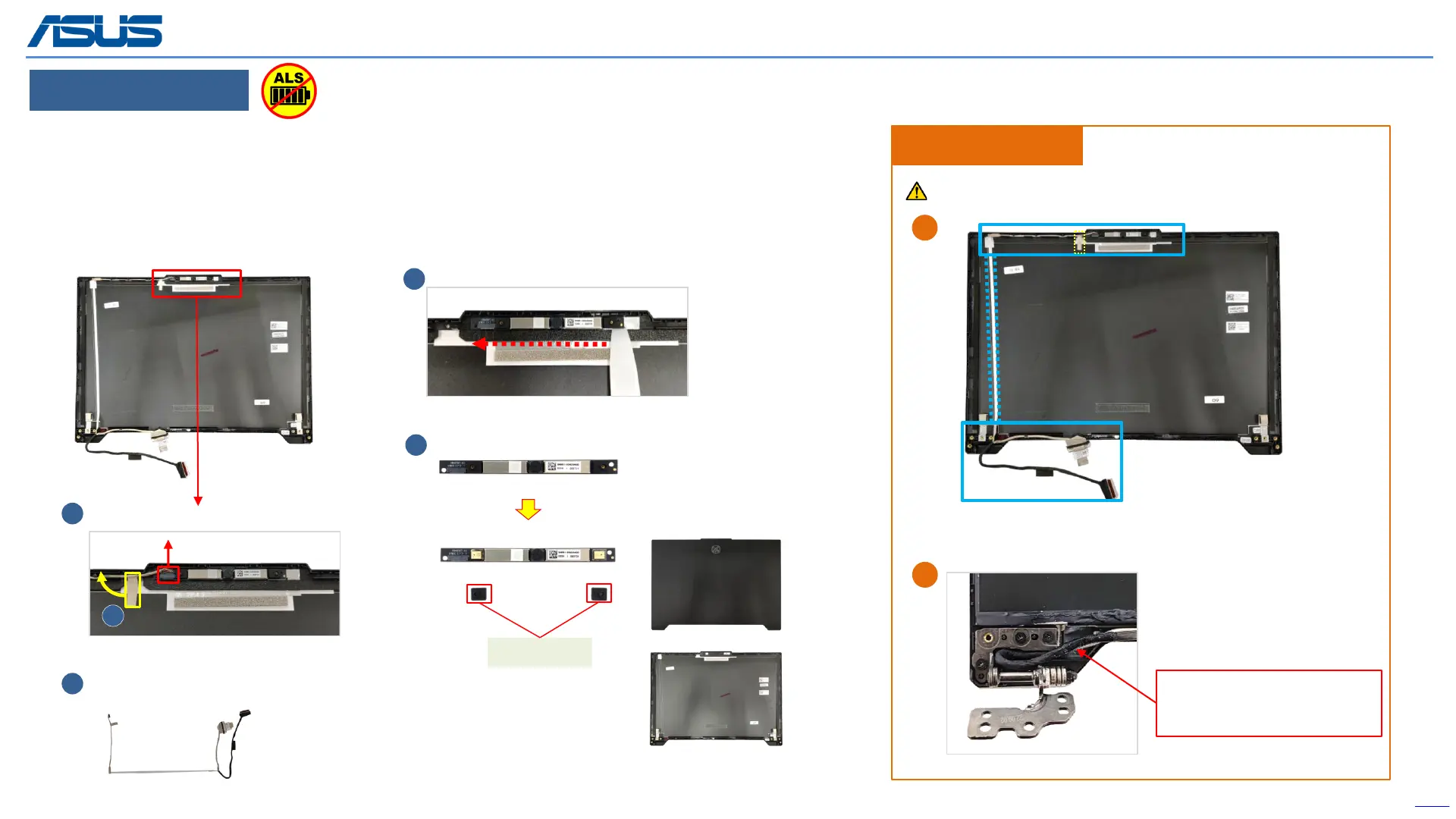
LCD COVER
Disassembly Notice
Back
31
1
Disconnect
Step 1 : Disconnect the(Red mark) Camera connector.
Step 2 : Release the(yellow mark) tape.
Step 3 : Remove EDP cable.
Step 4 : Remove the Camera module.
Step 5 : Remove MIC RUBBER*2pcs.
2
4
Assembly Notice
Please follow the blue mark to tidy up EDP cable.
3
MIC RUBBER
5
A
B
When assembling the left hinge,
please pay attention to the
location of the EDP cable
The device has an Ambient Light Sensor (ALS) for power-off protection Function.



 To Next Page