LCD PANEL and LCD Cover
Assembly Notice
Back
32
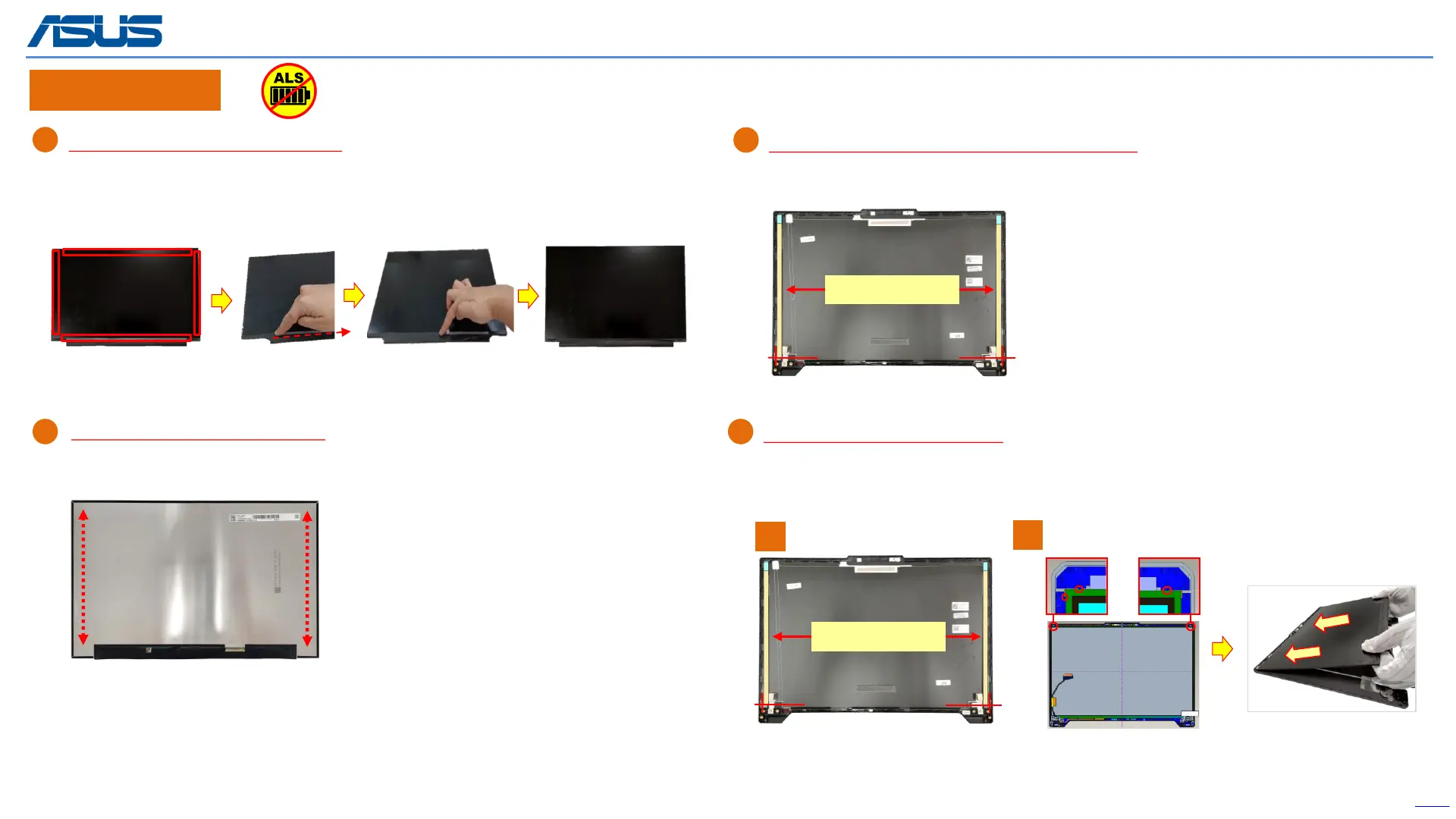
When reuse the LCD Panel or BEZEL:
Please use the fingertip to clean the residual glue on PANEL or BEZEL.
Assembly Notice
C
When replace the LCD and reuse the LCD COVER:
Please paste new LCD COVER TAPE *2pcs on cover.
Don’t over the marking line, then Flatten by hand.
Step 1 : Remove release paper of LCD Adhesive*2pcs.
Step 2 : Assembly and align the LCD to the upper side of the LCD Cover.
D
Remove
Align
When assembly the LCD PANEL:
B
A
(The following is an operation example)
Clean the back of the LCD PANEL :
Before assembling the LCD panel, use a dust-free cloth and a small amount of alcohol to
clean the back of the panel.
LCD COVER TAPE
Release paper
1
2
The device has an Ambient Light Sensor (ALS) for power-off protection Function.



 To Previous Page