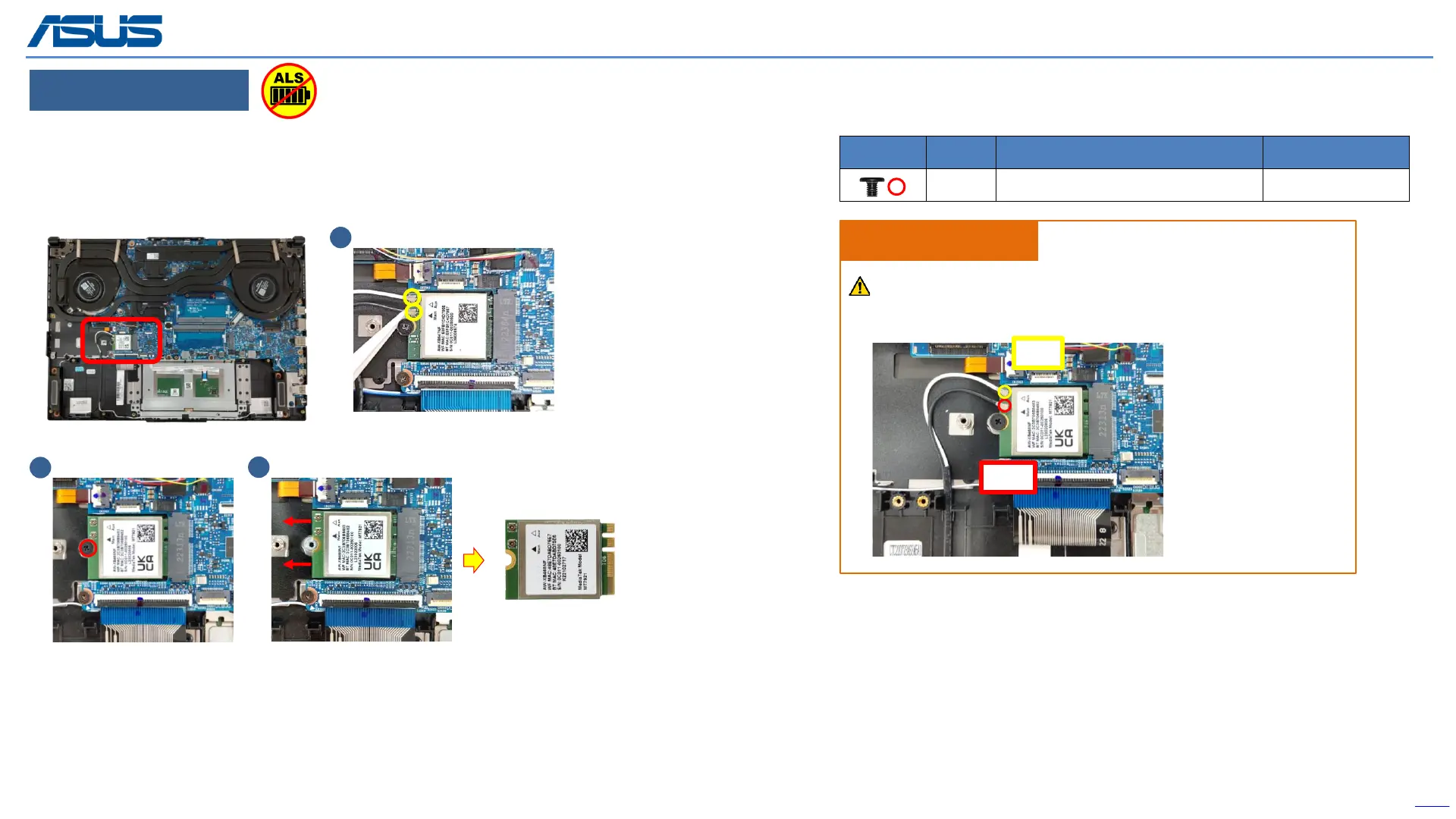
WIFI CARD
Step 1 : Disconnect the RF CABLE connectors*2pcs.
Step 2 : Remove the screw*1pc.
Step 3 : Remove WIFI CARD.
Back
19
Disassembly Notice
1
Screws QTY Spec Torque (kgf-cm)
1 M2*3L (5.6,0.8) (K) #1 2.0
±
0.2
3
2
Please according to below image to assemble the WiFi module.
Assembly Notice
Main
AUX
The device has an Ambient Light Sensor (ALS) for power-off protection Function.



 To Next Page